You’ve downloaded an XAPK file maybe a large game, a region-locked app, or a custom APK bundle and now Android is staring at you blankly, refusing to open it. You’re not alone. Millions of Android users search how to install XAPK files on Android every day and hit the same wall. The problem isn’t your phone. Android’s native package installer simply doesn’t support the XAPK format. XAPK files bundle extra data like OBB files for large games that the standard installer doesn’t know how to unpack. But the solution is straightforward once you know which method to use.
This guide covers every working installation method in 2026 from a one-tap installer app to manual extraction, ADB command-line installs, and enterprise-grade MDM deployment. Pick the method that fits your skill level and device.
What Is an XAPK File?
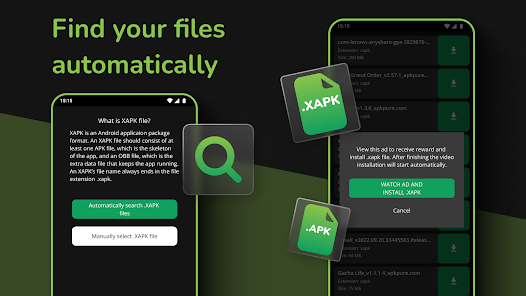
An XAPK file is a compressed archive format similar to a ZIP file that packages together an Android application (.apk) and its associated expansion data (.obb files, also called Opaque Binary Blobs) into a single downloadable bundle.
The format was popularized by the third-party app store APKPure as a way to distribute large Android apps without requiring users to separately download game data after installation. A game like PUBG Mobile or Genshin Impact, for example, can have expansion data exceeding 2GB an XAPK bundles everything together.
There are actually two distinct types of XAPK files, and this distinction matters for installation:
| XAPK Type | Contents | Common Use | Install Method |
|---|---|---|---|
| Type 1: APK + OBB | Single APK + one or more .obb data files | Large games with offline data packs | Installer app or manual ZIP method |
| Type 2: Split APK Bundle | Multiple APK files (base + config splits) | Apps distributed as Android App Bundles | SAI or ADB |
If you’re installing a game, you’re almost certainly dealing with Type 1. If you’ve downloaded an app exported from Google Play or an enterprise system, you may have a Type 2 split APK bundle. The installation steps differ, so it’s worth identifying which type you have before proceeding.
XAPK vs APK vs APKS vs APKM
| Format | Contains | Native Android Support | Best Installer |
|---|---|---|---|
| APK | Single app package | ✅ Yes | Android default |
| XAPK | APK + OBB data or Split APKs | ❌ No | APKPure, SAI |
| APKS | Split APK set (SAI format) | ❌ No | SAI |
| APKM | Split APK set (APKMirror format) | ❌ No | APKMirror Installer |
| AAB | Android App Bundle (developer format) | ❌ No | ADB bundletool only |
The key takeaway: only plain .apk files open directly on Android. Everything else needs either a third-party installer or a manual extraction process. Want a deeper comparison? Read: Difference Between APK and Play Store
Before You Install: Enable Unknown Sources
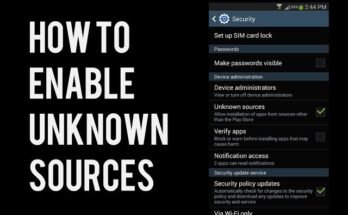
Regardless of which method you use, your Android device needs permission to install apps from sources outside the Google Play Store. This is called Install Unknown Apps or “Unknown Sources” on older devices.

Note: This setting is per-app on Android 8 and later you enable it for the specific app doing the installing, not globally.
How to Enable It by Android Version:
- Android 8–15 (modern): Settings → Apps → [installer app] → Install Unknown Apps → toggle On
- Android 7 and earlier: Settings → Security → Unknown Sources → toggle On
- Samsung One UI: Settings → Biometrics and Security → Install Unknown Apps
- Xiaomi MIUI / HyperOS: Settings → Privacy Protection → Special App Access → Install Unknown Apps
- Realme / OPPO / Vivo ColorOS: Settings → Additional Settings → Privacy → Install Apps from External Sources
If you’re having trouble with this setting or getting a permissions error, read our detailed guide: How to Install Unknown Apps on Android
Choose Your Installation Method
Pick the approach that matches your situation. Beginners should start with Method 1. Power users and developers can jump to Method 3. IT administrators should go straight to Method 4.
| Method | Difficulty | Best For |
|---|---|---|
| Method 1: Installer App | Easy | All regular users |
| Method 2: Manual ZIP | Easy–Medium | No extra app available |
| Method 3: ADB Command Line | Advanced | Developers & power users |
| Method 4: MDM Deployment | IT Admin | Enterprise device fleets |
Method 1: Install XAPK Using a Dedicated Installer App
This is the fastest and most reliable approach for most users. Dedicated XAPK installer apps handle both the APK installation and the OBB file placement automatically in a single tap.
Option A: APKPure App
APKPure’s own Android app has native XAPK support built in. If you downloaded the XAPK from APKPure, you can install it directly inside the app without ever touching the file manually.
- Download the APKPure app from apkpure.com on your Android browser. It’s a standard APK file itself.
- Open APKPure and search for your app. Find the app you want and tap Download it downloads in XAPK format automatically.
- Tap Install when prompted. APKPure handles everything: installs the APK and places the OBB data in the correct folder.
- Grant permissions if asked. The app may request storage access to write OBB files to your internal storage.
Option B: SAI — Split APKs Installer (Best for Type 2 XAPK)

SAI is a free, open-source tool on Google Play that handles both Type 1 XAPK files (APK + OBB) and Type 2 split APK bundles (XAPK, APKS, APKM formats). It’s the most versatile option no ads, no account needed, regularly maintained.
- Install SAI from Google Play. Search “Split APKs Installer” or “SAI” the developer is Aefyr. Free and open source.
- Open SAI and tap the Install button. The large button in the center opens the file picker.
- Navigate to your XAPK file and select it. SAI automatically detects whether it’s an APK+OBB bundle or a split APK package.
- Tap Install on the confirmation screen. SAI processes the package and installs all components. This may take 30–60 seconds for large files.
- Open the app from your home screen. Installation complete no extra steps required.
✅ Recommended: SAI is the best free option for most users. Open source, no ads, no account, works for all XAPK types including APKS and APKM.
Method 2: Manual Installation (Rename to ZIP)
This method works without installing any additional app. It’s useful when you can’t install third-party tools or when you want complete control over what gets placed where. Works best with a file manager like Files by Google or ZArchiver.
- Rename the .xapk file to .zip. Open your file manager, long-press the XAPK file, and rename the extension from .xapk to .zip. The file contents don’t change XAPK is just a ZIP archive.
- Extract the ZIP file. Tap the renamed file and select “Extract.” Extract to a new folder so you can see the contents clearly.
- Identify the contents. You’ll see at least one .apk file and one .obb file or folder named after the app’s package name (e.g., com.tencent.ig.obb).
- Move the OBB file to the correct folder. Navigate to Internal Storage → Android → obb. Create a folder with the exact package name and place the .obb file inside it. See the OBB section below for the exact path.
- Install the APK file. Tap the .apk file in your file manager. Android’s standard package installer handles the rest.
- Launch the app. The app detects the OBB data automatically from the folder you placed it in.
Method 3: ADB Command Line (For Developers & Power Users)
ADB (Android Debug Bridge) is Google’s official command-line tool for interacting with Android devices from a computer. It’s the most reliable method for split APK installations and is required in some corporate or developer environments. If you’re new to sideloading and want to understand the basics first, check: How to Install APK on Android Without Play Store – 2026 Guide

Prerequisites:
- A Windows, Mac, or Linux computer
- ADB installed available at Android SDK Platform Tools (official Google download)
- USB Debugging enabled on your device: Settings → Developer Options → USB Debugging
- Your XAPK file accessible on your computer
Installing a Type 1 XAPK (APK + OBB) via ADB
- Rename and extract the XAPK on your computer. Change .xapk to .zip and extract. You’ll get an .apk file and one or more .obb files.
- Connect your device via USB and verify the ADB connection. Run
adb devicesyour device should appear. If it shows “unauthorized,” check your phone and tap Allow. - Install the APK file:
adb install path/to/app.apk - Push the OBB file to the correct path on your device:
# Push OBB file to device
adb push main.12345.com.example.app.obb /sdcard/Android/obb/com.example.app/

# Verify it was pushed correctly
adb shell ls /sdcard/Android/obb/com.example.app/
Installing a Type 2 Split APK Bundle via ADB
For split APKs (multiple .apk files inside the XAPK), use adb install-multiple:
adb install-multiple base.apk config.arm64_v8a.apk config.en.apk config.xxhdpi.apk⚠️ Note: Enabling Developer Options and USB Debugging does not root your device. Disable USB Debugging when you’re not actively using ADB to avoid security risks on untrusted machines.
Method 4: Enterprise & MDM Bulk Deployment
If you’re an IT administrator managing a fleet of Android devices, manually installing XAPK files one device at a time is not practical. Enterprise MDM (Mobile Device Management) platforms support silent app deployment at scale.
| Platform | XAPK Support | OBB Handling | Best For |
|---|---|---|---|
| AirDroid Business | ✅ Yes | Manual path config | SMB to enterprise |
| Hexnode UEM | ✅ Yes (via APK upload) | Limited | Enterprise & kiosks |
| ManageEngine MDM | ✅ Yes | Supported | IT-heavy enterprises |
| SOTI MobiControl | ✅ Yes | Supported | Large enterprise fleets |
| Google Workspace Zero-touch | APK only | Not supported | Full Google stack |
General MDM Deployment Workflow:
- Extract XAPK components on your server. Unzip the XAPK and store the APK and OBB files separately in your MDM’s app repository.
- Upload the APK to your MDM platform. Configure silent installation settings to prevent user prompts during deployment.
- Configure OBB file distribution. Use the MDM’s file push feature to deploy the OBB file to
/Android/obb/[package.name]/on each device before app launch. - Assign the app to a device group or profile. Target specific device groups (warehouse scanners, field tablets) and push silently.
- Monitor deployment status via the MDM dashboard. Confirm successful installation across all targeted devices before rollout completion.
ℹ️ GDPR Note: For EU deployments on employee-owned (BYOD) devices, ensure your MDM policy complies with GDPR Article 5 data minimisation rules and that employees are informed of management scope.
OBB File Placement Guide
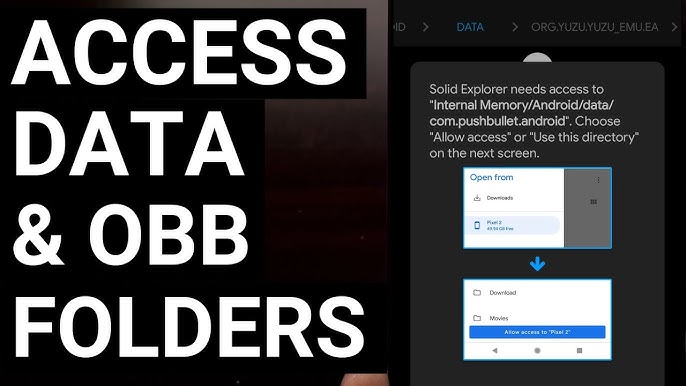
The OBB file is the expansion data for large Android apps game assets, audio packs, or offline databases. If this file is in the wrong location, the app will crash immediately or prompt you to download data again.
The Exact Path:
/sdcard/Android/obb/[package.name]/main.[version].[package.name].obbExample for a game with package name com.example.biggame:
/storage/emulated/0/Android/obb/com.example.biggame/main.10045.com.example.biggame.obbHow to Find the Package Name:
- It’s visible in the OBB filename itself the part between the version number and the final .obb
- On APKPure download pages, the package name is listed below the app title
- In the Google Play URL: play.google.com/store/apps/details?id=com.example.app
Common OBB Errors & Fixes:
| Error | Likely Cause | Fix |
|---|---|---|
| App asks to download data again | OBB in wrong folder | Move OBB to exact path above |
| App crashes on launch | Wrong OBB version or corrupt file | Re-download XAPK, verify file size |
| Can’t create folder in /obb/ | Android 11+ scoped storage | Use ADB push or SAI |
| OBB folder not visible | Show hidden files is off | Enable “Show hidden files” in file manager |
⚠️ Android 11+ Scoped Storage: Direct access to /Android/obb/ is restricted for most file manager apps on Android 11 and later. Use ADB push, SAI, or ZArchiver with storage access configured via Settings to write OBB files on modern Android devices.
Safety Guide: How to Verify XAPK Files Before Installing
Sideloading any app carries risks when files come from unknown sources. Malware, spyware, and adware can be bundled with legitimate-looking XAPK files. Here’s how to stay protected.
Pre-Installation Security Checklist:
- Only download from reputable sources: APKPure, Uptodown, APKMirror, or the developer’s official website
- Check the file size against the expected size on the download page large discrepancies are a red flag
- Upload the XAPK or extracted APK to VirusTotal for a free multi-engine malware scan before installing
- Verify the SHA-256 or SHA-1 hash if the source provides one this confirms the file hasn’t been tampered with
- After installation, review app permissions a flashlight app requesting SMS access is suspicious
- Keep Google Play Protect enabled it scans sideloaded apps too
🚨 Avoid: Random file-sharing sites, unverified Telegram groups, and forums are common sources of modified APKs containing credential stealers and hidden adware SDKs.
Troubleshooting: Common XAPK Installation Errors

| Error Message | Cause | Solution |
|---|---|---|
| “App not installed” | Conflicting install, corrupt file, or wrong architecture | Uninstall existing version first. Verify device architecture. Re-download file. |
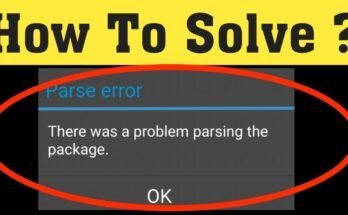
| “Parse error” | File is corrupt or incompletely downloaded | Re-download the XAPK on a stable connection |
| “Installation blocked” | Unknown Sources not enabled for installer app | Enable Install Unknown Apps for the specific app you’re using |
| App opens then crashes | OBB file missing or wrong path | Follow OBB placement guide above. Use ADB push on Android 11+ |
| “Insufficient storage” | Device storage too low | Free up space remember XAPK + extracted files both need space temporarily |
| “Package conflicts with existing package” | Play Store version installed (different signature) | Uninstall Play Store version, then install XAPK |
For a full breakdown of why APK and XAPK files fail to install, see: Why APK File Not Installing on Android – Full Fix Guide
Android Version Compatibility Notes
| Android Version | XAPK Install | OBB Access | Notable Changes |
|---|---|---|---|
| Android 7–8 | ✅ All methods | Full access | Global Unknown Sources toggle |
| Android 9–10 | ✅ All methods | Full access | Per-app Unknown Sources setting |
| Android 11 | ✅ Methods 1, 3, 4 | Restricted | Scoped storage introduced |
| Android 12–13 | ✅ All methods | Restricted | MANAGE_EXTERNAL_STORAGE required |
| Android 14–15 | ✅ All methods | Restricted | Storage scoping tightened further |
On Android 11 and later, use SAI or ADB push for OBB file placement both bypass scoped storage through legitimate, supported channels.
Device-Specific Installation Tips
Samsung (One UI)
Samsung One UI 4 and later displays a secondary “Dangerous app blocked” confirmation when installing unknown apps. Tap “Install anyway” if you’ve already verified the file is safe.
Xiaomi / MIUI / HyperOS
MIUI is aggressive about blocking sideloaded apps. Enable “Install via USB” in Developer Options if using ADB, and disable MIUI Optimization (Developer Options → MIUI Optimization) so that SAI works correctly.
Realme / OPPO / Vivo (ColorOS / FunTouchOS)
Go to Settings → Additional Settings → Privacy → Install Apps from External Sources. Some ColorOS builds show a local “Virus Scanner” prompt before installation this is normal.
Stock Android / Google Pixel
The most straightforward experience. Settings → Apps → Special App Access → Install Unknown Apps → [your installer app]. No extra steps needed.
XAPK Installer Tools Comparison
| Tool | Free | Open Source | Split APKs | OBB Auto-Place | Ads | On Play Store |
|---|---|---|---|---|---|---|
| SAI (Split APKs Installer) | ✅ | ✅ | ✅ | ✅ | ❌ None | ✅ |
| APKPure App | ✅ | ❌ | ✅ | ✅ | Some | ❌ Sideload only |
| Uptodown | ✅ | ❌ | Limited | ✅ | Some | ✅ |
| XInstaller | ✅ | ❌ | ✅ | ✅ | Some | ✅ |
| ADB (command line) | ✅ | ✅ | ✅ | Manual | ❌ None | N/A |
Bottom line: SAI is the best all-around choice free, open source, no ads, handles every XAPK format. Available on Google Play: SAI – Split APKs Installer
Legal Considerations
Installing XAPK files is legal in most jurisdictions but context matters.
- Region-locked apps: Installing an app unavailable in your country via XAPK is generally a terms-of-service violation with the developer, but not a criminal offense in most countries.
- Pirated apps: Installing paid apps via XAPK without purchasing them is copyright infringement. This guide covers legitimate sideloading only.
- Enterprise use: Always verify you have the right to distribute the app under its license before using MDM deployment.
- Modded APKs inside XAPK: Some XAPK files contain modified app versions. These may violate terms of service and, in some jurisdictions, could conflict with computer misuse laws if they circumvent copy protection.
When in doubt, stick to APKPure, Uptodown, or the developer’s official site for unmodified, trusted APKs.
More Things You Should Know About XAPK Files
Can I convert an XAPK to a regular APK? You can extract the APK from inside an XAPK by renaming it to .zip and extracting but the APK alone won’t include the OBB data. For games that require expansion files, you need both the APK and the correctly placed OBB file. For Type 2 split APK bundles, merging everything into a single APK is not reliably possible without repackaging the app and breaking its signature.
How do I install XAPK files on Xiaomi or Samsung? The core process is the same on all Android devices only the settings path differs. On Xiaomi (MIUI / HyperOS): Settings → Privacy Protection → Special App Access → Install Unknown Apps, enable for your installer app, and disable MIUI Optimization in Developer Options if SAI doesn’t respond. On Samsung (One UI): Settings → Biometrics and Security → Install Unknown Apps. Samsung may show a “Dangerous app blocked” warning tap “Install anyway” if you’ve already verified the file on VirusTotal.
How do enterprises deploy XAPK files across many Android devices? IT administrators use MDM platforms like AirDroid Business, Hexnode UEM, ManageEngine, or SOTI MobiControl. Extract the XAPK on your server, upload the APK to the MDM’s app repository with silent install configured, and push OBB files to /Android/obb/[package.name]/ on each device. For EU BYOD deployments, ensure compliance with GDPR Article 5 data minimisation requirements.
What is the difference between XAPK and APK? An APK is a single Android package that Android installs directly. An XAPK is a larger archive containing the APK plus expansion data or split components. Think of XAPK as the shipping container and APK as the item inside you have to open the container before Android can use what’s inside.
Frequently Asked Questions
Q: What is an XAPK file and why can’t Android open it natively?
An XAPK file is a ZIP-based archive that bundles an APK file with its OBB expansion data or multiple split APK files into a single download. Android’s built-in installer only handles plain .apk files it doesn’t know how to unpack the XAPK container or place OBB files in the right location. You need either a dedicated XAPK installer app or a manual extraction process.
Q: Is it safe to install XAPK files?
It depends entirely on the source. XAPK files from reputable platforms like APKPure or Uptodown are generally safe they distribute unmodified builds from official developer releases. Random files from unknown websites or Telegram groups carry significantly higher malware risk. Always verify files on VirusTotal before installing, and never install XAPK files that claim to offer paid apps for free.
Q: Why does my XAPK installation keep failing?
The most common causes are: Unknown Sources not enabled for your installer app; a conflicting existing version already installed uninstall it first; a corrupt or incompletely downloaded file re-download it; a device architecture mismatch (arm64 vs x86); or insufficient storage space. Check each in order.
Q: Can I install XAPK files on Android 13, 14, or 15?
Yes XAPK installation works on all modern Android versions. The main difference is that Android 11+ scoped storage restrictions make it harder to manually write OBB files using a regular file manager. Use SAI from Google Play or ADB push for OBB placement on Android 11 and later both handle the permission requirements correctly.
Q: What is the best free XAPK installer app in 2026?
SAI (Split APKs Installer) by Aefyr is the top recommendation free, open source, no ads, available on Google Play, supports all XAPK types including APKS and APKM, and handles OBB placement automatically. For users who want a built-in app store alongside XAPK installation, APKPure and Uptodown are solid alternatives.
Glossary
XAPK — A ZIP-based archive containing an APK plus OBB expansion data or split APK files. Popularized by APKPure.
APK (Android Package Kit) — The standard Android app installation file that Android’s built-in installer can open directly.
OBB (Opaque Binary Blob) — Expansion data files for large Android apps, stored in /Android/obb/[package.name]/ on device storage.
Split APK — An app distributed as multiple APK files (base APK + configuration splits for screen density, CPU architecture, or language).
Sideloading — Installing an Android app from a source other than the Google Play Store, requiring “Install Unknown Apps” to be enabled.
ADB (Android Debug Bridge) — Google’s official command-line tool for interacting with Android devices from a computer.
MDM (Mobile Device Management) — Platforms like AirDroid Business and Hexnode used by IT administrators to manage and deploy apps on device fleets.
Scoped Storage — An Android 11+ privacy feature that restricts which apps can read and write to shared storage areas like /Android/obb/.
VirusTotal — A free online service that scans files using 70+ antivirus engines to verify safety before installation.
Helpful Resources & References
- Android Developer Docs – App Install Location — Official Google documentation on APK install behaviour and OBB file storage specifications.
- VirusTotal — Free multi-engine malware scanner. Upload any XAPK or APK before installing to verify it’s clean.
- SAI on Google Play — The recommended open-source XAPK installer app referenced throughout this guide.
- Android SDK Platform Tools – ADB Download — Official Google ADB download for Windows, Mac, and Linux.
Conclusion
Installing XAPK files on Android is not complicated once you understand what they are and why the default installer rejects them. The XAPK format simply bundles more than a standard APK and Android needs a little help unpacking it.
Quick decision guide:
- Most users → Install SAI from Google Play and tap your XAPK. Done in 60 seconds.
- No installer app available → Rename to ZIP, extract, place OBB in /Android/obb/[package.name]/, install the APK.
- Developer or power user → Use ADB with
adb installandadb pushfor full control. - IT administrator → Extract XAPK components and deploy via your MDM platform with silent install configured.
Whatever method you choose, always verify your XAPK file on VirusTotal before installation and only download from trusted sources like APKPure, Uptodown, or the app developer’s official website.