Table of Contents
- Introduction
- Why Transfer APK Files Between Phones
- Best Methods to Transfer APK Between Phones
- Using Cloud Storage or File Transfer Apps
- Things to Keep in Mind
- FAQs
Introduction
When you switch to a new phone or want to share an app that isn’t available on the Play Store, knowing how to transfer APK between phones becomes useful. APK (Android Package Kit) files are installation packages for Android apps that can be easily shared, installed, or backed up. However, transferring them safely and effectively requires using the right methods and tools.
Why Transfer APK Files Between Phones
There are several reasons why users want to move APK files from one phone to another. The most common include:
- Installing apps that are not available on the Play Store in certain regions.
- Sharing paid or discontinued apps with friends or family.
- Moving apps to a new phone without downloading them again.
- Saving mobile data by avoiding repeated app downloads.
Transferring APKs helps maintain access to your favourite apps even when the Play Store version is unavailable or incompatible with your device.
Best Methods to Transfer APK Between Phones

There are multiple ways to transfer APK files depending on what’s available on both devices. Here are some of the most reliable and user-friendly options:
1. Bluetooth Transfer
A classic and straightforward option. Just locate the APK file on your old phone, enable Bluetooth on both devices, and send the file. This method doesn’t need internet access, but may be slower for larger files.
2. Wi-Fi Direct or File-Sharing Apps
Apps like SHAREit, Xender, or Send Anywhere make APK transfers fast and wireless. Install the same transfer app on both phones, select the APK file, and send it using Wi-Fi Direct technology.
3. USB or OTG Cable
If you prefer a wired method, use a USB or OTG cable to connect both phones. You can copy the APK file from one device’s internal storage and paste it into the other’s downloads folder.
4. Cloud Storage Services
You can upload APK files to Google Drive, Dropbox, or OneDrive from your old device, then download them onto your new phone. This is especially useful for long-term storage or multiple APK files.
Using Cloud Storage or File Transfer Apps
Modern tools make transferring apps extremely simple. For example, if you have multiple APKs to move, uploading them to a cloud service like Google Drive keeps them accessible anytime. File transfer apps such as AirDroid and Send Anywhere not only move files faster but also preserve app versions and integrity.
Always ensure that the APK file is from a trusted source and hasn’t been modified, as unofficial APKs may contain malware or security risks.
Things to Keep in Mind
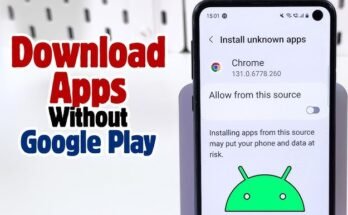
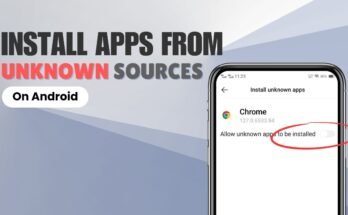
- Always enable the “Install Unknown Apps” permission before installing APKs.
- Verify that the transferred file hasn’t been corrupted during transfer.
- Use antivirus or built-in security tools to scan downloaded APKs.
- Avoid installing cracked or pirated APKs, as they may harm your device.
By following these precautions, you can safely share apps without compromising your phone’s security or data.
FAQs
Q1: Can I transfer APKs from Android to iPhone?
No, iPhones use a different operating system (iOS) and do not support APK files.
Q2: Is it safe to install APKs received from others?
Only if you trust the sender and verify that the APK file hasn’t been tampered with.
Q3: How do I find the APK file on my phone?
You can locate APKs in your “Downloads” folder or by using a file manager app.
Q4: Do I need the internet to transfer APKs?
No, if you use Bluetooth, USB, or Wi-Fi Direct, the internet is not required.
Q5: Can I back up my apps using APKs?
Yes, exporting APKs is a great way to back up your apps before resetting or upgrading your phone.