If you’ve ever asked what app to install APK files on your Android device, you’re not alone. Millions of users worldwide need to install apps outside the Google Play Store whether to access region-locked content, try beta versions, or use open-source apps that aren’t listed officially. The good news? You don’t need to be a tech expert. The right APK installer app makes the entire process safe, fast, and straightforward.
This guide covers every tool, every format, and every device so you can install APK files with confidence.
What Is an APK Installer App?
An APK installer app is a tool that reads, processes, and executes Android Package Kit (.apk) files stored on your device. Android has a basic built-in installer, but it only handles standard .apk format. For modern formats like .xapk, .apkm, or .apks (split APK bundles), you need a dedicated third-party installer app.
Think of it like this: a .zip file needs WinRAR or 7-Zip to open it properly. Similarly, newer APK bundle formats need a capable installer to handle all the split files correctly.
Why Do People Install APK Files?
Before picking your tool, it helps to understand why APK installation is so common globally:
- Region-locked apps — Apps unavailable in your country (high demand in India, Pakistan, Southeast Asia, Middle East)
- Beta or early access versions — Test new features before official rollout
- Older app versions — Roll back to a version before an update you disliked
- Open-source apps — Privacy-focused tools hosted on F-Droid, not the Play Store
- Firestick & Android TV — Sideloading streaming apps is standard practice for cord-cutters
- Developer testing — QA engineers install unsigned or test builds via ADB
In China, where the Google Play Store is inaccessible, APK installation is simply the default method of getting apps. In the US and EU, privacy-conscious users prefer F-Droid as their primary app source.
Does Android Have a Built-In APK Installer?
Yes every Android device includes a basic package installer. When you tap a .apk file in your file manager, Android’s system installer opens automatically. It shows app permissions, asks for confirmation, and installs the app.
However, this built-in installer has one major limitation: it only supports plain .apk files. It cannot handle .xapk, .apkm, or .apks formats without a helper app. That’s where dedicated APK installer apps fill the gap.
Files by Google (pre-installed on most Android devices) is the simplest option for standard APK files. It acts as a file manager and triggers the system installer cleanly, making it the go-to choice for casual users.
Best Apps to Install APK Files on Android
Here is a comparison of the most trusted APK installer apps available in 2026:
| App | Formats Supported | Free? | Best For |
|---|---|---|---|
| Files by Google | APK | Free | Quick installs, standard APK |
| APKMirror Installer | APK, XAPK, APKM, APKS | Free (Premium available) | Verified, split APK installs |
| APK Installer by Uptodown | APK, XAPK, APKM, APKS, OBB, ZIP | Free | Multi-format, backup & restore |
| F-Droid | APK (open-source only) | Free | Privacy-focused, FOSS apps |
| Aptoide | APK | Free | Alternative app store browsing |
| Samsung My Files | APK | Pre-installed | Samsung device users |
1. Files by Google Best for Beginners
Files by Google is pre-installed on most Android smartphones running Android 8.0 (Oreo) and above. It functions as a file manager and can install standard .apk files directly from your Downloads folder with one tap.
Why use it: Zero setup required, trusted by Google, no ads, lightweight.
Limitation: Cannot handle .xapk or .apkm formats without a secondary tool.
Best File Manager App for Android
2. APKMirror Installer Best for Split APKs
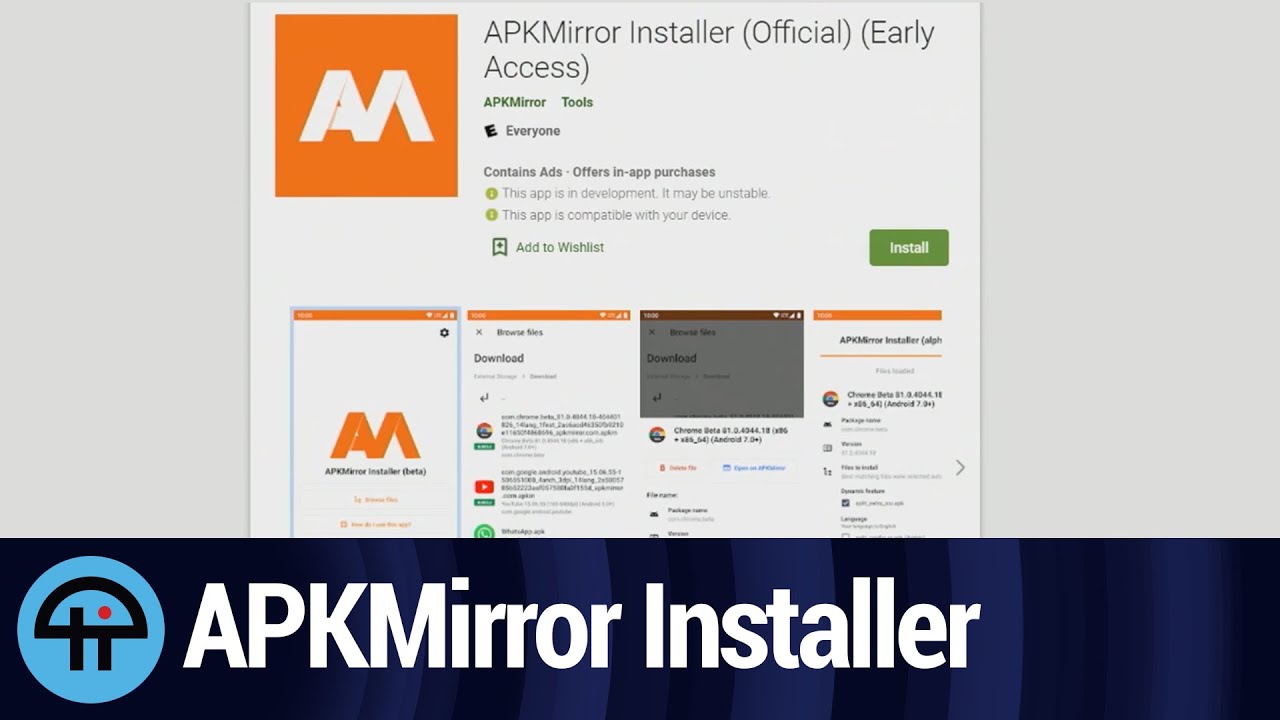
Developed by the team behind Android Police, APKMirror Installer is one of the most trusted tools for installing .apkm, .xapk, and .apks bundle files. Since Google shifted to the Android App Bundle format, most large apps now ship as split APKs and this tool handles them perfectly.
Why use it: Every APK on APKMirror is manually reviewed. Cryptographic signature matching ensures the file is authentic. If an installation fails, the app shows you the exact error reason something no other installer does.
Xiaomi/MIUI users: Disable MIUI Optimizations in Developer Options before using this installer for split APKs. This is a known MIUI-specific issue.
Pricing: Free with ads. Premium tier available for ad-free experience.
3. APK Installer by Uptodown Best for Multi-Format Support
Uptodown’s APK Installer supports the widest range of formats: .apk, .xapk, .apkm, .apks, .obb, and even .zip. It also includes a backup feature you can back up any installed app as a single .xapk file and restore it later.
Why use it: Ideal if you deal with large apps that include OBB data files (like games), or if you want to back up apps before a factory reset.
How to Back Up Android App Data
4. F-Droid Best for Privacy & Open-Source Apps
F-Droid is not just an installer it’s a full open-source app store. Every app listed on F-Droid is free, open-source, and verified. F-Droid lists what it calls “anti-features” for each app, flagging trackers, ads, and proprietary code. It’s the top choice for users in the US and EU who prioritize digital privacy.
Why use it: Transparency, no proprietary tracking, verified APK hashes, auto-update support.
Limitation: Smaller app library compared to Play Store alternatives.
Understanding APK File Formats
One of the most common points of confusion is the difference between APK file types. Here’s a quick breakdown:
| Format | What It Is | Which App Handles It |
|---|---|---|
.apk | Standard Android app package | Any installer, Files by Google |
.xapk | APK + OBB data in one file | APKMirror Installer, Uptodown |
.apkm | APKMirror’s bundle format | APKMirror Installer |
.apks | Split APK set | APKMirror Installer, Uptodown |
.obb | Extra data file (games) | Uptodown Installer |
Difference Between APK and Play Store
How to Install XAPK Files on Android
How to Enable “Install Unknown Apps” on Android
Before any APK installer app can work, you need to grant it permission. On Android 8.0 and above, this is a per-app permission not a global toggle. Here’s how:
- Go to Settings on your Android device
- Tap Apps (or App Management)
- Select Special App Access
- Tap Install Unknown Apps
- Choose the app you’ll use to install (e.g., Files by Google, Chrome, or your APK installer)
- Toggle Allow from this source to ON
On older Android versions (pre-8.0), go to Settings → Security → Unknown Sources and enable it globally. Re-disable it after installation for safety.
How to Install Unknown Apps on Android
Step-by-Step: How to Install an APK File
Using Files by Google (Standard APK)
- Download the
.apkfile from a trusted source - Open Files by Google → tap Downloads
- Tap the APK file
- If prompted, grant installation permission for Files by Google
- Tap Install and wait for completion
Using APKMirror Installer (XAPK / APKM)
- Install APKMirror Installer from the Play Store
- Download the
.apkmor.xapkfile from APKMirror - Open APKMirror Installer → tap the downloaded file
- Review the split APK contents and tap Install
- Grant the permission prompt if it appears
How to Install APK on Android Without Play Store

Device-Specific Notes
Samsung devices: Samsung My Files (pre-installed) handles standard APK installation natively. For split APKs, use APKMirror Installer. No extra steps needed beyond granting permission.
Xiaomi / MIUI devices: If a split APK fails, go to Developer Options → Disable MIUI Optimizations, then retry. This resolves most installation failures on Xiaomi, Redmi, and Poco devices.
Google Pixel: Smooth experience with any installer. Files by Google works natively with zero manufacturer-specific issues.
Firestick / Android TV: Use the Downloader app by AFTVnews to download and trigger APK installation directly on your TV. For XAPK files, install APKMirror Installer via sideload first, then use it to handle bundles.
Why APK File Not Installing on Android
Safety: How to Verify an APK Before Installing
Installing from the wrong source is where the real risk lies not in the act of sideloading itself. Follow this safety checklist:
- Download only from trusted sources APKMirror, F-Droid, official developer websites, GitHub
- Check SHA256 / MD5 checksum if provided by the developer
- Scan with Google Play Protect go to Play Store → Play Protect → Scan
- Use VirusTotal to scan any APK file online before installing
- Review app permissions a calculator asking for camera access is a red flag
- Avoid sites with excessive pop-up ads these are common malware vectors
- Never install modded APKs of paid apps this is piracy and a serious malware risk
For Developers: ADB Sideloading
If you’re a developer or QA engineer testing app builds, the Android Debug Bridge (ADB) is the professional method. It bypasses all UI-level permission prompts and installs APKs directly via command line.
Basic ADB install command:
adb install yourapp.apkFor split APKs:
adb install-multiple base.apk split1.apk split2.apkADB requires enabling Developer Options and USB Debugging on the target device. It works on Android smartphones, tablets, Android TV, and Chromebooks.
Install APK on PC Using an Emulator
Common APK Installation Errors & Fixes
| Error | Cause | Fix |
|---|---|---|
| Parse Error | Corrupted file or wrong Android version | Re-download APK; check device compatibility |
| App Not Installed | Signature conflict with existing version | Uninstall old version first |
| Blocked by Play Protect | Google flagged the APK | Scan manually; override if source is trusted |
| Installation Failed (MIUI) | MIUI Optimizations interfering | Disable MIUI Optimizations in Developer Options |
| App Not Available in Your Country | Region restriction | Use a trusted alternative APK source |
Parse Error on Android How to Fix
App Is Not Available in Your Country
Which APK Installer App Should You Choose?
| Your Situation | Best App |
|---|---|
You have a standard .apk file | Files by Google or Samsung My Files |
| You downloaded from APKMirror (.apkm) | APKMirror Installer |
You have a .xapk or .apks file | APKMirror Installer or Uptodown |
| You want privacy-first open-source apps | F-Droid |
| You want to back up and restore apps | APK Installer by Uptodown |
| You’re a developer testing builds | ADB (command line) |
| You’re on Firestick / Android TV | Downloader app + APKMirror Installer |
Legal Note
Installing APKs is legal when you’re installing free apps, open-source software, or apps you’ve legitimately purchased. It becomes illegal when you install paid apps without buying them. Always use reputable sources and respect app developers’ licensing terms.
Frequently Asked Questions
Q1: What is the best app to install APK files on Android?
For standard APK files, Files by Google is the easiest option it’s free, pre-installed, and requires no setup. For XAPK, APKM, or split APK formats, use APKMirror Installer or APK Installer by Uptodown. Both are free, widely trusted, and handle all modern APK bundle formats.
Q2: Is APKMirror safer than APKPure?
Both platforms verify APK signatures, but APKMirror is generally considered more strict. APKMirror manually reviews every upload and matches cryptographic signatures against previous versions. APKPure uses SHA1 certificate verification. Neither hosts modded APKs. For maximum safety, APKMirror is the preferred choice among Android enthusiasts and developers.
Q3: Can I install APK files on a Chromebook?
Yes. Chromebooks running Chrome OS 80 and above support Android apps. Enable the Google Play Store from Settings, then sideload APKs through the built-in Files app. ADB over USB is also supported on developer-mode Chromebooks.
Q4: Why does Android block APK installation even after enabling permission?
This usually happens for three reasons: Android 13+ introduced extra restricted settings requiring a second confirmation step; Google Play Protect may be blocking a flagged APK; or on Xiaomi devices, MIUI Optimizations interfere with the process. Disabling MIUI Optimizations in Developer Options resolves most Xiaomi-specific blocks. Why APK File Not Installing on Android
Conclusion
Knowing what app to install APK files makes all the difference between a smooth experience and a frustrating one. For most users, Files by Google handles everyday APK installs with zero hassle. If you’re dealing with XAPK, APKM, or split APK bundles, APKMirror Installer is the most reliable and secure option. Privacy-first users should explore F-Droid, while developers will find ADB the most efficient path.
Whatever your reason for sideloading region restrictions, beta testing, open-source apps, or streaming on Firestick the right installer app, paired with safe download habits, keeps your device protected.
Download APK Files Safely for Android
![A promotional banner for the [Zarchiver APK Download] featuring the app's logo and its description as the best zip, rar, and unzip app for Android.](https://apksharp.org/wp-content/uploads/2026/02/Zarchiver-APK-Download--348x215.jpg)
![A mobile smartphone displaying gameplay from the [Fortnite APK] with various characters and structures on a grassy field.](https://apksharp.org/wp-content/uploads/2026/02/Fortnite-APK-348x215.jpg)