The difference between APK and Play Store is simpler than it sounds. An APK is a file format used to install Android apps manually, while the Google Play Store is Google’s official app marketplace that handles discovery, download, and installation automatically. APKs give you direct access to any app; the Play Store gives you a curated, safer experience.
What Is an APK File?
APK stands for Android Package Kit. It is the file format Android uses to package and distribute applications think of it the same way you’d think of a .exe file on Windows or a .dmg on macOS. Every app you’ve ever installed on your Android device, whether from the Play Store or elsewhere, ultimately arrived as an APK.
The file extension is .apk, and its MIME type is application/vnd.android.package-archive. Inside every APK is everything an app needs to run: compiled code, resources, assets, certificates, and a manifest file that tells Android what permissions the app requires.
One important thing to understand: the Play Store doesn’t replace the APK format. It actually uses it behind the scenes. The difference is in how the APK reaches your device and who controls that process.
For a deeper technical understanding, see Android’s official APK documentation.
What Is the Google Play Store?
The Google Play Store is Google’s official digital distribution platform for Android apps, games, music, books, and movies. It’s developed and maintained by Google LLC and comes pre-installed on most Android devices running Google Mobile Services (GMS).

When you download an app from the Play Store, Google handles everything: finding the right version for your device, verifying the developer’s identity, scanning for malware via Google Play Protect, and delivering automatic updates. You never touch an APK file directly the process is invisible.
The Play Store also enforces Google’s developer policies. Apps must pass a review process before being listed, which filters out a significant portion of malicious software before it ever reaches users.
Core Differences: APK vs Play Store
Here’s where things get practical. The two aren’t competing technologies they operate at different levels. But for the everyday user choosing how to install an app, the differences matter enormously.
| Feature | APK (Sideloading) | Google Play Store |
|---|---|---|
| Source | Third-party websites, developer directly | Google’s curated marketplace |
| Security Review | None (your responsibility) | Google Play Protect + policy review |
| Installation Method | Manual, requires enabling “Unknown Sources” | Automatic, one-tap |
| Auto Updates | No (unless the app self-updates) | Yes, automatic |
| App Availability | Any app, any version, any region | Subject to geo-restrictions and policy |
| Cost | Free (the file itself) | Free or paid depending on app |
| Risk Level | Higher (depends on source) | Lower (Google-vetted) |
| Developer Control | Full no middleman | Subject to Google’s policies and fees |
The Play Store is convenience and safety combined. APK sideloading is flexibility at the cost of caution.
Why Would Anyone Use an APK Instead of the Play Store?
This is the question most articles skip. There are actually several legitimate, real-world reasons people turn to APKs and not all of them are about piracy or hacking.
1. The App Isn’t Available in Your Region
The Play Store enforces geographic restrictions. A banking app built for South Korea may not appear in search results for users in Germany. A streaming service licensed only for India won’t show up for someone in the UAE. In these cases, downloading the APK directly from the developer’s website is often the only option.
This is particularly common in China, where Google Play Store is entirely unavailable. Android users there rely on APKs and alternative stores like Huawei AppGallery, Xiaomi’s GetApps, or regional platforms. In India, APK usage is also high due to a combination of region-locked apps and users who prefer downloading apps directly from developers.
2. The App Was Removed from the Play Store
Apps get removed sometimes for policy violations, sometimes voluntarily by the developer, and occasionally due to legal disputes. If you relied on an app that disappeared overnight, APK archives like APKMirror let you download older versions that are no longer listed officially.
Need a reliable way to find APKs? Check our guide on the best APK downloader tools for Android apps.
3. Beta Testing and Developer Builds
Android developers regularly distribute test builds of their apps as APKs before submitting to the Play Store. If you’re part of a closed beta, the developer may send you an APK directly rather than going through the Play Store’s beta track.
4. Older Versions of Apps
Sometimes an app update breaks a feature you rely on. With the Play Store, you have no choice it updates automatically. With an APK, you can roll back to a previous version. Sites like APKMirror maintain version histories for exactly this reason.
5. Apps That Violate Play Store Policies (But Are Perfectly Legal)
The Play Store has rules that go beyond legality. Ad blockers, certain emulators, apps that modify system behavior these often don’t make it through Google’s review even when they’re entirely legal. APKs are the only distribution path for many of them.
How to Install an APK on Android (Step-by-Step)
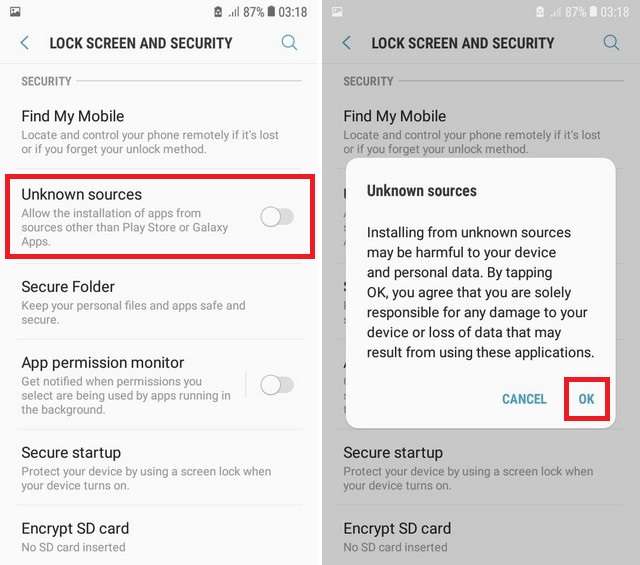
Before you begin, understand that this process involves bypassing Android’s default security layer. Do it only when you trust the source completely.
- Find a trusted source — Download the APK from the developer’s official website or a reputable repository like APKMirror.
- Open Settings → Apps (or Special App Access on newer Android versions).
- Enable “Install Unknown Apps” for your browser or file manager required for all sideloading on Android 8 and above.
- Open your Downloads folder and tap the
.apkfile. - Review the permissions Android displays before you confirm installation.
- Tap Install and wait for the Android Package Manager to complete the process.
- Disable “Install Unknown Apps” again after installation.
Need a full walkthrough? Read our detailed guide: How to Install APK on Android Without Play Store
Getting an error during install? See: Why APK File Not Installing on Android and How to Fix It
⚠️ Warning: Never enable Unknown Sources permanently. Always turn it off after installing your APK. This limits the window in which malicious software could exploit that permission.
Is It Safe to Install APK Files?
The honest answer: it depends entirely on the source.
An APK from the developer’s own website is just as safe as the Play Store version it’s literally the same file. An APK from a random forum post or a site with broken English and pop-up ads is a completely different story.
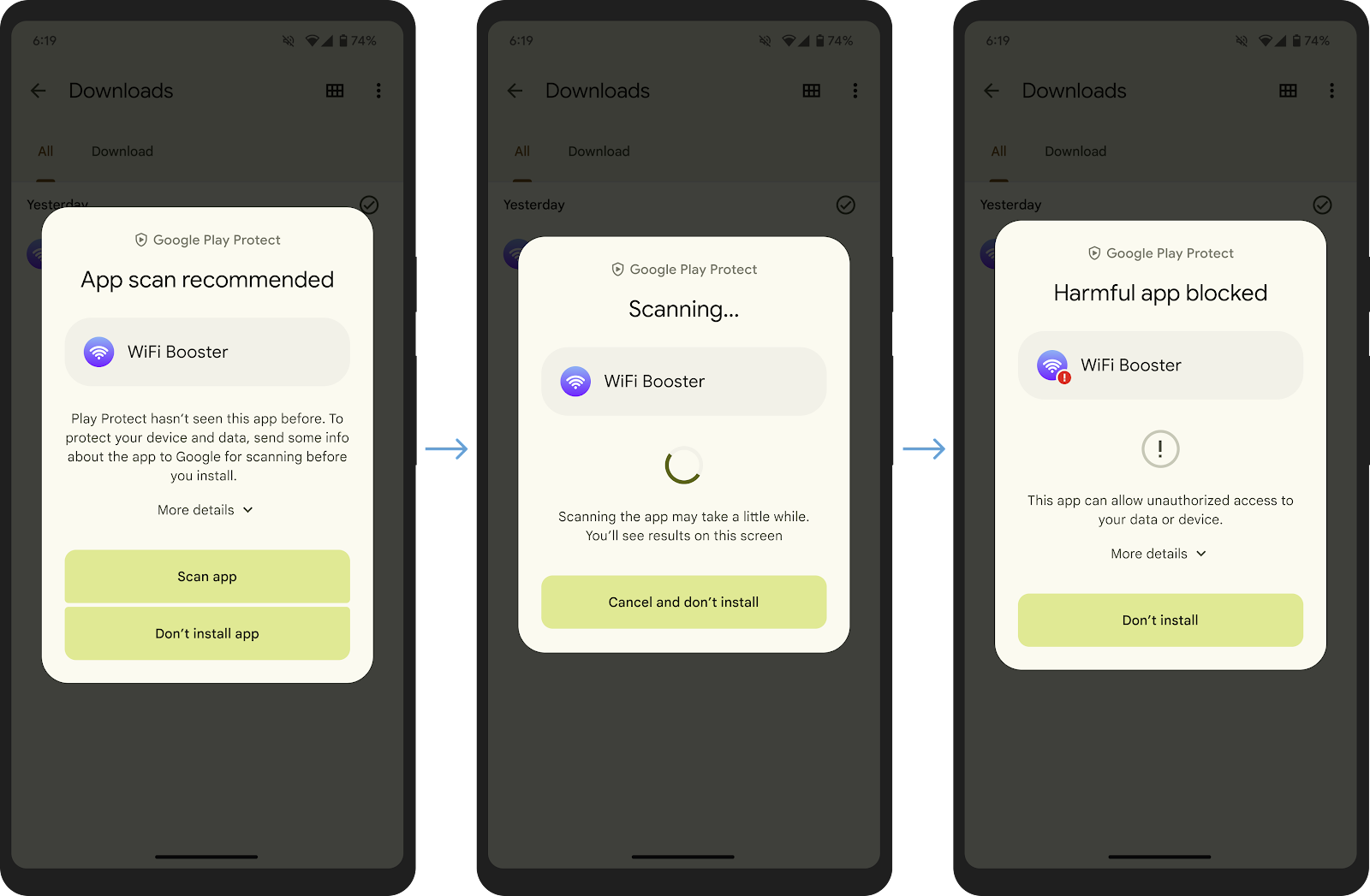
What Google Play Protect Does (and Doesn’t Do)
Google Play Protect scans apps installed via the Play Store and, to a degree, apps installed via sideloading. It checks against Google’s database of known malware signatures. However, it is not foolproof novel malware, heavily obfuscated code, and zero-day exploits can slip through.
Learn how Google Play Protect works and what it actually covers on your device.
Play Protect is one layer of defense. It should not be your only one.
How to Verify an APK Is Safe
- Check the source: Is it the developer’s official website, GitHub release, or APKMirror?
- Scan with VirusTotal: Upload the APK and scan it on VirusTotal checks against 70+ antivirus engines.
- Check the file size: Significantly different from Play Store version? Something may be wrong.
- Review permissions carefully: A flashlight app asking for microphone access is a red flag.
- Verify the digital signature: Every legitimate APK is cryptographically signed.
Read useful information and guides about Android apps in the APKSharp Apps category.
APK vs AAB: What’s Changing for Developers
Google introduced the Android App Bundle (AAB) format as the new standard for Play Store submissions. Since August 2021, new apps on the Play Store must be submitted as AABs, not APKs.
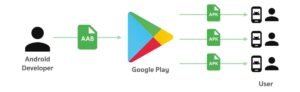
An AAB is not a complete installable file. It’s a publishing format that tells Google’s servers how to assemble the right APK for each specific device delivering only the screen density, CPU architecture, and language files that device actually needs.
What this means in practice:
- Developers upload AABs to the Play Console
- Google generates device-specific APKs on the fly
- Users never interact with AABs directly
- APKs remain the actual installed format on devices
For sideloading purposes, APKs are still what you’ll encounter. AABs are a backend publishing mechanism only.
Enterprise and MDM Use Cases
For businesses, APK deployment is a standard IT practice not a security workaround.
Companies using Mobile Device Management (MDM) platforms like VMware Workspace ONE, Microsoft Intune, or Jamf deploy proprietary apps to employee devices as APKs. These apps may never appear on the Play Store because they contain internal tools, dashboards, or workflows not meant for the public.
Android Enterprise supports silent APK installation by IT administrators, allowing apps to be pushed to hundreds of devices without user interaction entirely within Google’s sanctioned ecosystem.
Want to Run APKs on Your PC?
You don’t need an Android phone to use APK files. Android emulators let you run APK files directly on Windows or macOS.
Google Play Store Alternatives
If you’re in a region where Google Play is unavailable, or you prefer an open ecosystem, several alternatives exist:
- Amazon Appstore — Available on Fire OS and Android
- Samsung Galaxy Store — Pre-installed on Samsung devices
- Huawei AppGallery — Primary store for Huawei devices
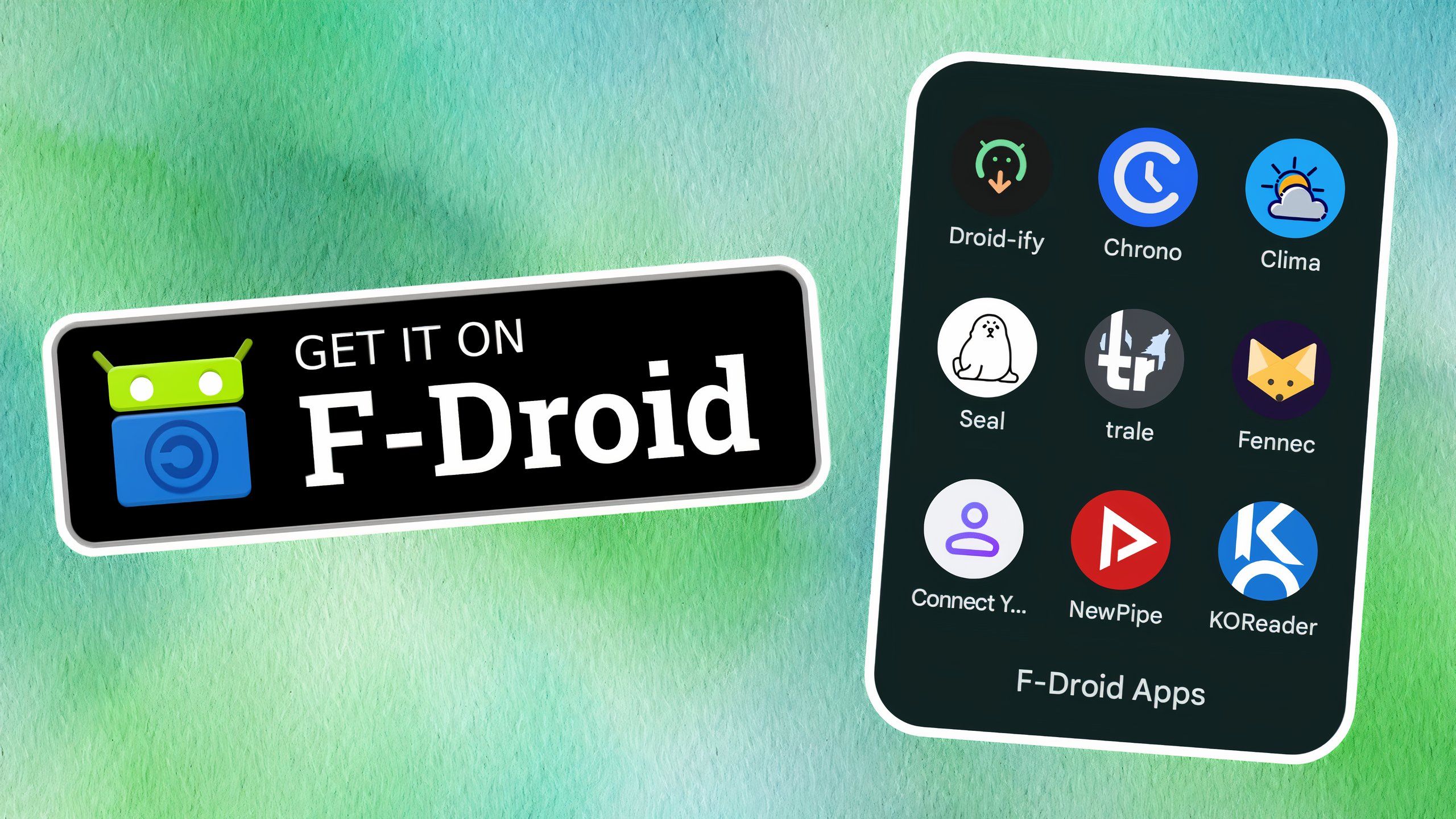
- F-Droid — Open-source app repository
- Aptoide — Community-driven alternative store
APK vs iOS App Store: A Brief Comparison
Android’s openness to APK sideloading has no real equivalent in Apple’s ecosystem. On iOS, sideloading requires enrolling in Apple’s Developer Program, using AltStore, or jailbreaking. The EU’s Digital Markets Act has forced Apple to allow third-party marketplaces in Europe but Android via APK remains far more accessible globally.
Legal Considerations: Is Sideloading APKs Illegal?
Sideloading itself is not illegal. What can be illegal:
- Downloading a paid app as a cracked APK (piracy)
- Distributing APKs with unauthorized copyrighted content
- Installing APKs that violate local laws in your jurisdiction
The legality hinges on the app’s content and licensing not the APK format itself.
Visit APK Sharp for apps, tools, technology guides, and useful insights.
Quick Decision Framework
Use the Play Store when:
- The app is available in your region
- You want automatic updates
- Security is your top priority
Use an APK when:
- The app isn’t available in your country
- You need an older version
- You’re a developer testing a build
- Your organization deploys apps via MDM
Conclusion
The difference between APK and Play Store comes down to control versus convenience. The Play Store is safe, automatic, and curated. APK sideloading is flexible, powerful, and puts responsibility on you.
Your action steps:
- Check the developer’s official site before any third-party APK download
- Always scan APKs on VirusTotal before installing
- Read our guide on installing APKs without the Play Store for a safe step-by-step walkthrough
- If you hit install errors, see why APKs fail to install and how to fix them
- Explore F-Droid or other alternatives if Play Store is unavailable in your region
Frequently Asked Questions
Why do people use APK instead of Play Store in the Difference Between APK and Play Store?
People use APK files to access apps not available in their region, get early updates, or install modified versions of apps.
Q: What does APK stand for?
APK stands for Android Package Kit the file format Android uses to install apps, similar to .exe on Windows.
Q: Is it safe to install APK files?
Yes, if downloaded from a verified source like the developer’s official site or APKMirror. Always scan with VirusTotal first.
Q: Why are some apps not available on the Play Store?
Due to geographic licensing, Google policy restrictions, developer choice, or removal after a policy dispute.
Q: Is sideloading APKs illegal?
No. Sideloading is a built-in Android feature. It only becomes illegal if the APK contains pirated or unauthorized content.