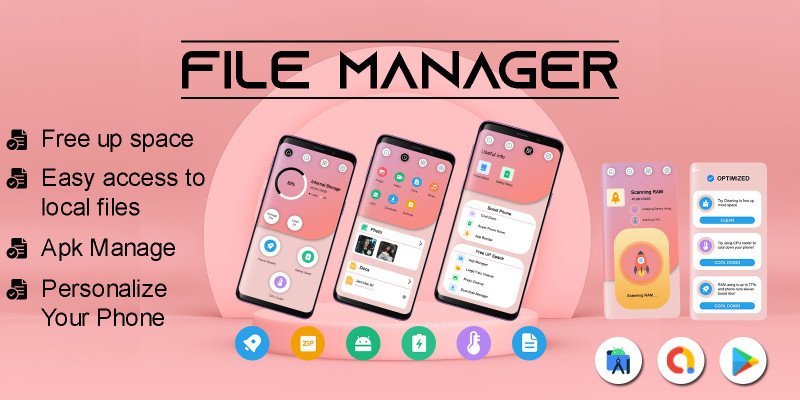
APK Sharp is a powerful yet simple-to-use app that makes it easy to manage and install APK files on your device. Whether you’re trying to download the latest app version or install an app that isn’t available on the Google Play Store, APK Sharp can help. In this article, we will explore how APK Sharp works, its features, how to use it, and why it’s a great tool for Android users.
What is APK Sharp?
APK Sharp is an Android application that helps you download, manage, and install APK files from various sources. Unlike Google Play Store, which offers only apps approved by Google, APK Sharp allows you to download APKs directly from trusted external sites. The app simplifies the process of searching for APKs, ensuring a secure download experience.
Why Choose APK Sharp?

There are several reasons why APK Sharp stands out in the world of APK file managers. Let’s take a look at some of the top reasons why APK Sharp should be your go-to app for downloading APK files.
Easy to Use:
One of the biggest advantages of APK Sharp is its user-friendly interface. Whether you’re a beginner or an experienced Android user, you’ll find it easy to navigate. The app is designed to make downloading and installing APK files as simple as possible. All you need to do is search for the APK you want, tap to download, and install it in just a few steps.
Fast Downloads:
APK Sharp optimizes the download process, ensuring that your apps download quickly and efficiently. Unlike some other tools that slow down your download speeds, APK Sharp ensures that you get your APKs in the shortest time possible. This is especially useful if you’re downloading large apps or games.
No Need for Google Play Store:
Sometimes, you may not be able to find the app you’re looking for on the Google Play Store. This could be due to geographical restrictions or because the app is no longer available. With APK Sharp, you can find APK files for nearly any app, even if it’s not on Google’s official store. This gives you more freedom to access apps that might not be available in your region or that have been removed from the Play Store.
Safe and Secure Downloads:
One of the biggest concerns when downloading APK files is security. APK files from unofficial sources can sometimes contain malware or viruses that can harm your device. With APK Sharp, you don’t have to worry. The app scans all APK files for potential threats, making sure that the file is safe before you install it. It ensures your device remains secure while allowing you to enjoy the apps you want. learn more about APK shark security.
Wide Selection of Apps:
Another reason to choose APK Sharp is the vast selection of APK files available. Whether you’re looking for popular apps, old versions, or even apps that are no longer available in your region, APK Sharp offers an extensive library. With just a few clicks, you can find and download the APK for any app you need.
Free to Use:
Unlike some apps that charge for their services or have hidden fees, APK Sharp is completely free. You can download and install as many APK files as you want without worrying about subscriptions or additional costs. This makes it a great choice for users who want an efficient, no-cost solution to managing their APKs.
How to Use APK Sharp
Using APK Sharp is simple and straightforward. Here’s a step-by-step guide on how to download and install apps using APK Sharp:
Step 1: Download and Install APK Sharp: The first thing you need to do is download and install APK Sharp. You can find the app on trusted APK download sites. Once you’ve downloaded the APK file for APK Sharp, open it on your device and follow the on-screen instructions to install it.
Step 2: Search for an APK: Once installed, open the APK Sharp app. You will be greeted with a search bar where you can type the name of the app you’re looking for. APK Sharp has an easy-to-use search function that helps you quickly find the APK file you need.
Step 3: Download the APK: After you’ve found the app you want, click on it to open the download page. APK Sharp will display detailed information about the app, such as the version number, file size, and download source. When you’re ready, hit the download button.
Step 4: Install the APK: Once the APK file is downloaded, APK Sharp will prompt you to install it. If your phone blocks installations from unknown sources, you’ll need to enable installations from unknown sources in your phone’s settings. Simply go to Settings > Security > Unknown Sources and toggle the switch on. After that, tap the APK file again, and the installation process will begin. Once installed, you’ll be able to use the app just like any other app on your phone.
Step 5: Keep Your Apps Updated: APK Sharp notifies you whenever a new version of the app you’ve installed is available. You can download the latest APK version of the app to ensure that you’re always using the most up-to-date software.
APK Sharp Features

Let’s take a closer look at some of the key features of APK Sharp that make it such a great tool for Android users:
Batch Downloading: APK Sharp allows you to download multiple APK files at once, making the process even faster and more convenient.
App Management: You can easily manage all the APKs you’ve downloaded with APK Sharp, keeping your device organized.
Backup and Restore: If you want to save APKs for later use or transfer them to another device, APK Sharp lets you back up and restore APK files with ease.
App Version Control: APK Sharp lets you manage different versions of the same app, so you can switch between versions if needed.
APK Sharp vs. Other APK Downloaders
While there are many APK downloaders available, APK Sharp offers several advantages that make it a top choice for users.
Security: Unlike many other APK downloaders, APK Sharp ensures that all APK files are scanned for viruses and malware before they are downloaded. This makes it a safer choice compared to other tools that might not prioritize security.
User Experience: APK Sharp is known for its clean and intuitive interface. Unlike other APK downloaders that may be cluttered or difficult to navigate, APK Sharp offers a simple and straightforward user experience. You don’t need to be a tech expert to use the app.
Speed and Efficiency: APK Sharp stands out in terms of download speeds. It’s optimized for fast downloads, which is a significant advantage if you’re downloading large APK files or several apps at once.
Is APK Sharp Safe to Use?
Yes, APK Sharp is safe to use. It thoroughly checks all APK files for viruses and other harmful content before allowing you to download them. However, it’s important to only download APK files from trusted sources. Always ensure that you’re downloading from a reputable website to avoid potential risks.
Conclusion
In summary, APK Sharp is a fantastic tool for anyone who wants to manage APK files on their Android device. With its user-friendly interface, fast download speeds, and robust security features, it makes downloading and installing APKs easier and safer than ever. Whether you’re looking for apps that aren’t available in your region or you want to download an older version of an app, APK Sharp provides everything you need.
With APK Sharp, you can explore a wider selection of apps and enjoy the convenience of having all your APKs in one place. Best of all, it’s completely free to use, making it an excellent choice for Android users. If you’re looking for a simple and efficient way to manage your APK files, APK Sharp is the tool for you. Give it a try today and take your app downloading experience to the next level!