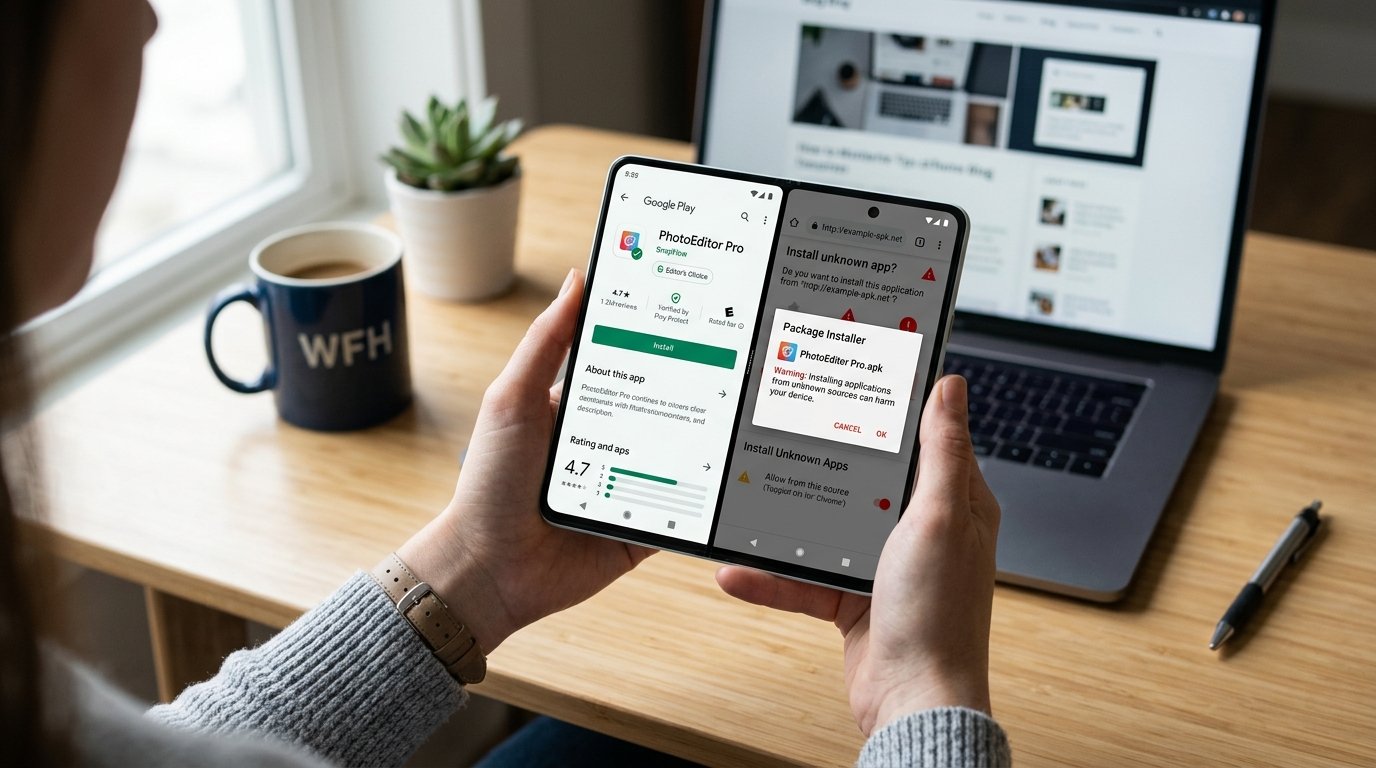
The Android ecosystem that is built on an open platform will be undergoing change in 2026 due to new security policies that could restrict APK sideloading. Even though the open nature of Android made application installations independent of the Google Play Store possible all along, the times seem to be changing. In the Google Play Store vs APK Sideloading comparison, these changes could have a significant impact on how users install and manage apps. Here is all you need to know about APK sideloading and what it means for users.
What Is APK Sideloading?
Understanding APK & Manual Installation
APK stands for Android Package Kit, which is the file format used to install apps on Android devices. Here at Apksharp, we explain how it allows users to install applications without using the Google Play Store. This process is commonly known as app sideloading or manual installation.
Users can perform a manual app install by downloading APK files from external websites, often referred to as third-party APK downloads. To enable this, users must turn on the “unknown sources” setting on their device, which allows installations from outside official app stores.
Why Users Choose APK Sideloading
Many users prefer sideloading for its flexibility and access benefits. It allows them to download region-locked apps, install older versions, or try modded and beta apps before official release. For example, many users prefer to get the latest WhatsApp APK download directly to access new features instantly.. They can explore open-source platforms as alternatives to the Play Store, giving them more control over their devices. It is important to understand the risks before choosing this method.
Did You Know?
You might be surprised that over 23% of Android users have tried sideloading at least once.
They continue to use it due to flexibility and access benefits.
Google Play Store — Security Features & Limitations
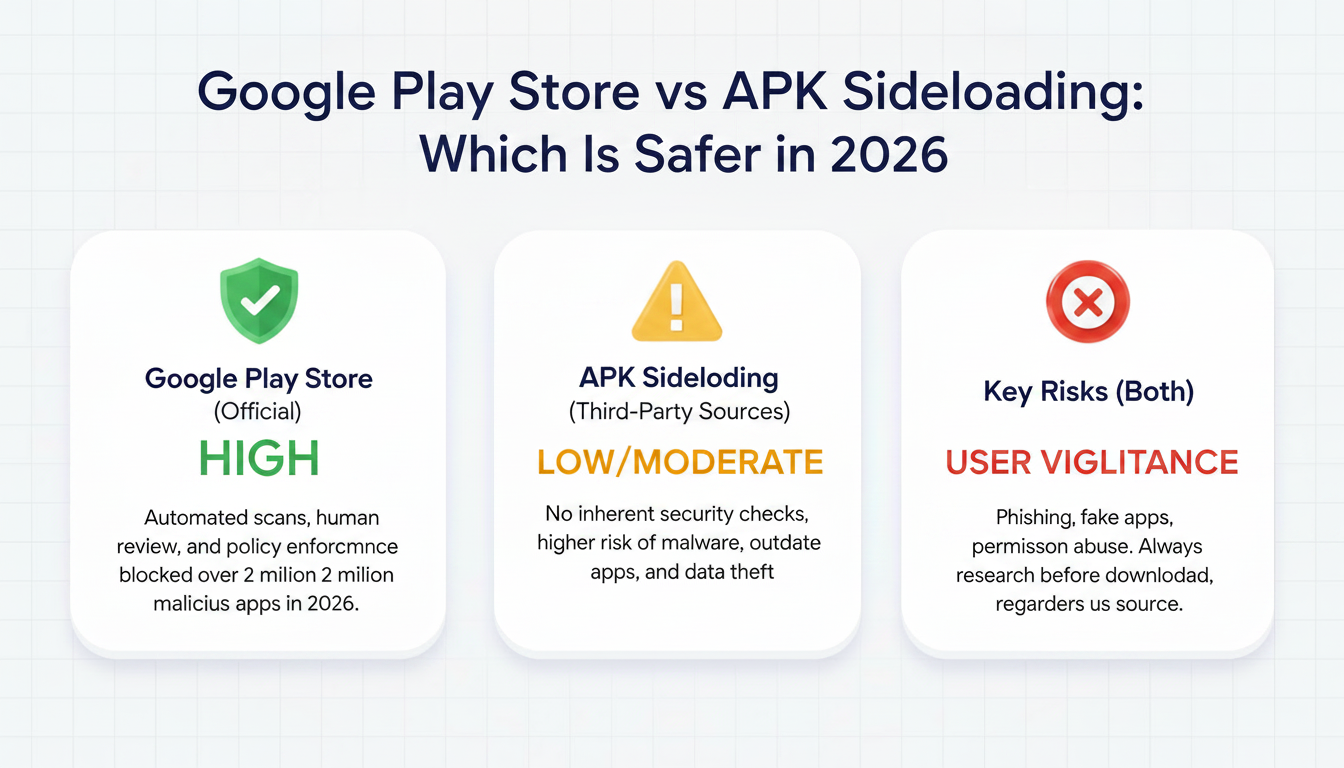
You rely on the Play Store because it offers built-in security layers. They use Google Play Protect to scan apps automatically before and after installation. It ensures that harmful apps are detected and removed quickly. We benefit from continuous monitoring without manual effort.
You should also know that Google introduced strict developer verification rules. They now require identity verification under the 2026 policy updates. It reduces the chances of malicious developers entering the ecosystem. We consider this a strong step toward improving trust.
You might feel completely safe using the Play Store. They still cannot guarantee 100% protection from malware. It has been reported that some malicious apps occasionally bypass detection systems. We saw examples like banking malware appearing briefly on the Play Store.
You must understand that Play Store policies are strict. They often block apps related to mods, gambling, or certain tools. It limits availability even for legitimate apps. We recognize this as a trade-off between safety and freedom.
You should choose the Play Store if you want convenience and security. They provide automatic updates and permission checks for all apps. It remains the safest default option for most users today. Many users still ask, can APK carry viruses, especially when installing apps from sources outside the Play Store.
APK Sideloading — Risks & Benefits
| Benefits | Risks |
| Full Flexibility: External methods se apps install karne ki mukammal azadi milti hai. | Higher Malware Risk: Play Store ke muqably mein APK files mein malware ka khatra kahin zyada hota hai. |
| Access Restricted Apps: Modded apps, purany versions, aur region-locked apps asani se mil jate hain. | No Auto-Updates: Sideloaded apps khud-ba-khud update nahi hotay, jis se security gaps reh jate hain. |
| Developer Testing: Developers apni apps ko public release se pehly test kar sakte hain. | Unknown Sources: Ghair-muta’lliqa websites se download karna device ke liye khatarnak ho sakta hai. |
| Open Ecosystem: Ye method independent development aur open platforms ko support karta hai. | Unsafe Permissions: Boht si APK files aisi permissions mangti hain jo aapke data ke liye khatarnak hain. |
| Full User Control: Aap decide karte hain ke kya install karna hai aur kaisay use karna hai. | Vulnerabilities: Manual updates na hone ki wajah se device waqt ke sath kamzor (vulnerable) ho jati hai. |
Google’s 2026 Sideloading Policy — What Changes?
Google is introducing major changes starting in 2026, with sideloading restrictions rolling out first in selected regions like Brazil, Indonesia, Singapore, and Thailand. A global rollout is expected by 2027.
1. Not a Full Ban on Sideloading
The Android sideloading ban in 2026 is not a complete ban. Instead, Google is implementing stricter controls while keeping the feature available.
2.Developer Identity Verification
Sideloaded apps will now require verified developer identities, adding a new layer of accountability and security.
3.Advanced Installation Process
A new “advanced flow” will be introduced for experienced users, including additional warnings and confirmation steps during installation.
4.Impact on Casual Users
These changes are designed to discourage casual users from sideloading, making the process more complex.
5. Concerns from Open-Source Communities
Open-source advocates argue that these restrictions reduce user independence and limit alternative app platforms.
6. Moving to a More Secure Ecosystem
The Android platform is shifting towards being more restrictive and secure. In other words, sideloading will still be allowed but not as easily accessible.
7. Need to Stay Updated
Users should stay informed about ongoing policy updates as changes continue to evolve.
Google Play Store vs APK Sideloading — Comparison Table
Google Play Store vs APK Sideloading comparison 2026
| Feature / Factor | Google Play Store | APK Sideloading |
| Security Scanning | Google Play Protect scans all apps automatically | No automatic scan — user must verify manually |
| Malware Risk | Low — apps reviewed before listing | 80% higher malware risk vs Play Store apps |
| App Availability | Limited — some apps not allowed by Google | Full access including banned apps |
| Update Management | Auto-updates | Manual updates required |
| Developer Verification | Verified by Google (2026) | Required under new policy |
| Cost | Free | Free but technical setup needed |
| Privacy Protection | Reviewed permissions | Permissions unchecked |
| Legal Status | Fully legal | Restricted in some regions |
| Access to Banned Apps | Not possible | Possible |
| User Control | Limited | Full control |
| Suitable For | General users | Advanced users |
| 2026 Policy | No change | New restrictions |
If you are worried about security policies, read more about how Android sideloading policies 2026 might affect your manual installations. You can clearly see that the Play Store focuses on safety and ease.
They highlight that sideloading offers flexibility but increases responsibility.
It ultimately depends on your technical knowledge and usage needs.
Which Should YOU Choose?
You should use the Google Play Store if you want maximum safety. They provide automatic updates and built-in protection systems. It suits beginners and general users perfectly.
You can choose sideloading if you need flexibility. They allow access to apps unavailable on the Play Store. It is ideal for developers and advanced users.
You must avoid random APK websites at all costs. They often distribute unsafe or modified files.
It increases risk significantly.
We recommend combining both methods carefully. You can use the Play Store for daily apps.
They can use sideloading for special cases only. You should always scan apps before installing. You can follow our 7-step guide on how to check if an APK has viruses to ensure your device stays 100% secure. They should also review permissions regularly. It helps maintain device security.
To learn more about Android apps, browse our latest app guides and articles.
Conclusion
You now understand the full comparison of Google Play Store vs APK sideloading in 2026.
They clearly show that the Play Store remains the safest and easiest option.
It offers protection, updates, and verified apps for everyday users.
You can still use sideloading for flexibility and advanced needs. They require caution, verification, and trusted sources. It becomes useful only when handled responsibly.
FAQ:
Q1: What is the difference between Google Play Store vs APK Sideloading?
The Google Play Store allows users to download apps from Google’s official app marketplace, while APK sideloading lets users install apps manually using APK files from external sources.
Q2: Is APK sideloading safe in 2026?
You should only sideload from trusted sources. They can be safe if verified, but random sites increase malware risk.
Q3: Can Google Play Store apps have viruses?
They can, but it is rare. Google removes harmful apps regularly to improve safety.
Q4: Is Google banning APK sideloading in 2026?
You should know it is not a full ban. They are adding restrictions and verification requirements.
Q5: What is the difference between APK and Play Store installation?
They differ in security checks. Play Store apps are verified, while APKs bypass that process.
Q6: Which is better — Google Play Store or APK?
You should use the Play Store for safety. They should use APKs only when necessary.



