Every time someone sideloads an Android app, they’re making a trust decision with real consequences. Secure APK scanning services are the critical safety layer standing between a clean device and a compromised one and in 2026, skipping this step is a risk no individual, developer, or enterprise can afford. Unlike apps distributed through Google Play Store which go through automated vetting and policy enforcement APK files downloaded from third-party sources carry no guaranteed safety record. One unvetted file can silently install spyware, exfiltrate user data, or open a backdoor into a corporate network.
This guide covers everything: what APK scanning actually is, how the different scanning methods work, which tools are worth using, how enterprises build automated vetting pipelines, and what to do when a scan flags something suspicious.
What Is an APK File and Why Does It Carry Risk?
An APK (Android Package Kit) is the file format Android uses to distribute and install applications. Structurally, it’s a ZIP-based archive containing compiled DEX bytecode, resource files, the AndroidManifest.xml, and signing certificates.
When you install an app through Google Play, the platform has already performed multiple security checks. When you install an APK manually from a file-sharing site, a third-party app store, or even a corporate internal portal none of that vetting has happened automatically.
📌 Before sideloading any APK, it helps to understand the core difference between APK files and Play Store apps. → APK vs Play Store: What’s the Difference?
The risk isn’t theoretical. Android malware families like Joker, Hummingbad, and FluBot have all been distributed through APK files outside official channels. Even apps that appear functional can carry hidden payloads: adware that runs in the background, trojans that intercept SMS messages, or permission-abusing code that quietly accesses your camera, contacts, or location data.
Sideloading rates are especially high across Southeast Asia, India, and parts of the Middle East. To understand what an APK package actually contains before scanning it, read this: What Is an App Package File?
What Is a Secure APK Scanning Service?
Quick Answer: A secure APK scanning service analyzes an Android application package (.apk) for malware, vulnerabilities, suspicious permissions, and malicious code before the file is installed on any device. It uses static analysis, dynamic analysis, or both to produce a threat assessment.
These services range from free online upload tools to enterprise-grade platforms with API access, compliance reporting, and CI/CD pipeline integration.
How APK Scanning Works: The Three Core Methods
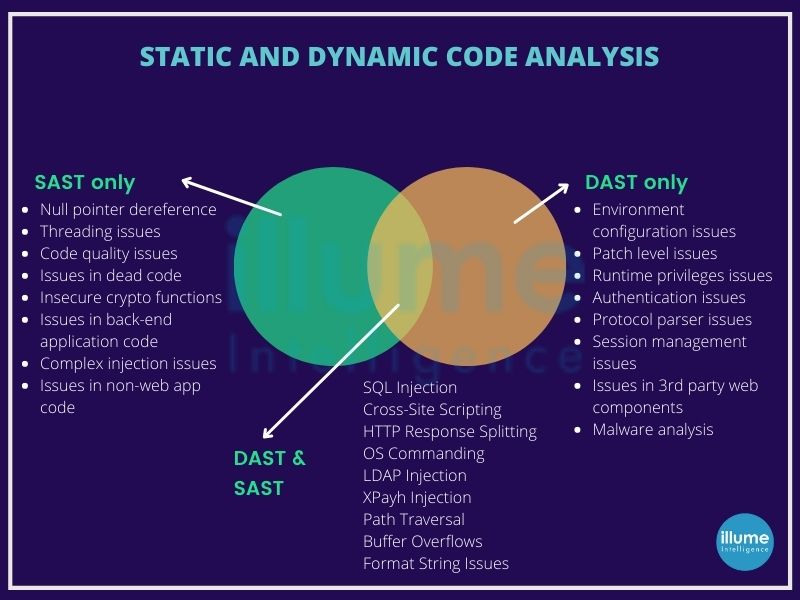
Understanding the methodology matters not all scanners catch the same threats.
Static Analysis
Static analysis examines the APK without executing it. The scanner decompresses the archive, parses the AndroidManifest.xml, decompiles the DEX bytecode using tools like Jadx or Androguard, and checks for:
- Declared permissions that exceed what the app needs
- Known malicious code signatures
- Hardcoded IP addresses, URLs, or API keys
- Certificate validity and signature integrity
- Smali code patterns linked to known exploit kits
Static analysis is fast and ideal for pre-installation checks, pre-submission audits, and high-volume automated pipelines. To understand how app signing certificates connect to APK security, see: Android App Signing Explained.
Its limitation: it can be fooled by code obfuscation techniques that disguise malicious logic behind layers of renamed methods and encrypted strings. For a deeper understanding of how APK structure works, the OWASP Mobile Security Testing Guide is the most comprehensive free reference available.
Dynamic Analysis
Dynamic analysis executes the APK inside a controlled sandbox and monitors its behavior in real time. The scanner observes:
- Network connections the app makes
- Files it reads, writes, or deletes
- System calls and API usage
- Data it transmits and to where
- Whether it attempts privilege escalation
This method catches threats that evade static detection. Some sophisticated malware uses sandbox evasion techniques detecting an emulated environment and suppressing malicious behavior. Advanced platforms counter this with behavioral fingerprinting and environment spoofing. The NIST Cybersecurity Framework provides the industry-standard methodology security teams follow when designing dynamic analysis workflows.
Hybrid and Behavioral Analysis
The most thorough scanning services combine both approaches. Hybrid analysis runs static checks first, then executes suspicious code paths dynamically. Behavioral analysis monitors the app over an extended period to catch delayed payloads or trigger-based malware. Enterprise platforms like NowSecure, Zimperium, and Pradeo operate on hybrid models.
Top APK Scanning Tools: Free, Freemium, and Enterprise
Free Tools
VirusTotal Upload an APK up to 650MB and VirusTotal runs it against 70+ antivirus engines simultaneously. It provides a consolidated threat score, per-engine results, permission analysis, and embedded URL/IP detection. Fast, trusted, and the most widely used starting point for APK threat verification globally.
MobSF (Mobile Security Framework) An open-source platform performing both static and dynamic analysis. MobSF on GitHub is self-hosted your APK files never leave your infrastructure. It produces detailed reports covering permissions, certificate info, API calls, hardcoded secrets, and full OWASP Mobile Top 10 coverage.
APKTool + Jadx (Manual Reverse Engineering) For developers and security researchers needing full control. APKTool decodes APK resources; Jadx decompiles DEX bytecode to readable Java. These are manual tools used when automated scanners need supplementation.
Paid and Enterprise Services
| Service | Type | Key Strength | Best For |
|---|---|---|---|
| NowSecure | Enterprise SaaS | Automated mobile app security testing | Large enterprise, compliance |
| Zimperium | MTD Platform | On-device threat detection + APK vetting | BYOD and MDM environments |
| Pradeo | Cloud Platform | Behavioral + static hybrid | Regulated industries |
| Appknox | SaaS | OWASP-aligned vulnerability reporting | App developers pre-submission |
| Quixxi | SaaS | App shielding + scanning | SMBs and mid-market |
Global Pricing Overview
| Tier | Who It’s For | Estimated Monthly Cost |
|---|---|---|
| Free | Individuals, solo developers | $0 |
| Freemium | Startups, freelancers | $0–$29 |
| SMB / API Access | Growing dev teams | $50–$300 |
| Enterprise | Large orgs, regulated industries | $500–$5,000+ |
Pricing varies by scan volume and support level. Verify current rates directly with providers.
How to Scan an APK File for Malware: Step by Step
Using VirusTotal (Fastest Method)
- Go to virustotal.com
- Click Choose File and upload your .apk file (max 650MB)
- Wait for the multi-engine scan to complete (usually under 60 seconds)
- Review the Detection tab for flagged engines
- Check the Details tab for permissions, certificates, and embedded URLs
- Cross-reference any flags with the Community tab for context
Using MobSF (Self-Hosted Deep Scan)
- Install MobSF via Docker:
docker pull opensecurity/mobile-security-framework-mobsf - Run the container and access the web UI at
localhost:8000 - Upload your APK through the dashboard
- Review the static analysis report check permissions, security score, and OWASP findings
- For dynamic analysis, configure an Android emulator and run the app inside MobSF’s environment
- Export the full PDF report for documentation or compliance records
📌 Having trouble getting an APK to install after scanning it? → Why APK File Is Not Installing on Android

What APK Scanning Detects
A thorough scan identifies a wide range of threats and weaknesses:
- Malware families: Trojans, spyware, adware, ransomware, banking malware
- Excessive permissions: Apps requesting SMS, camera, microphone, contacts, or location without justification
- Hardcoded secrets: API keys, credentials, and server addresses embedded in code
- Insecure communications: HTTP instead of HTTPS, weak SSL/TLS configurations
- Known vulnerabilities: CVEs tied to third-party libraries searchable via the CVE Database
- Certificate issues: Unsigned APKs, expired certificates, or signature mismatches
- Code obfuscation patterns: Suspicious obfuscation hiding payload logic
- Data exfiltration behavior: Unauthorized device data transmission during dynamic execution
APK Scanning for Enterprises: MDM, BYOD, and Compliance
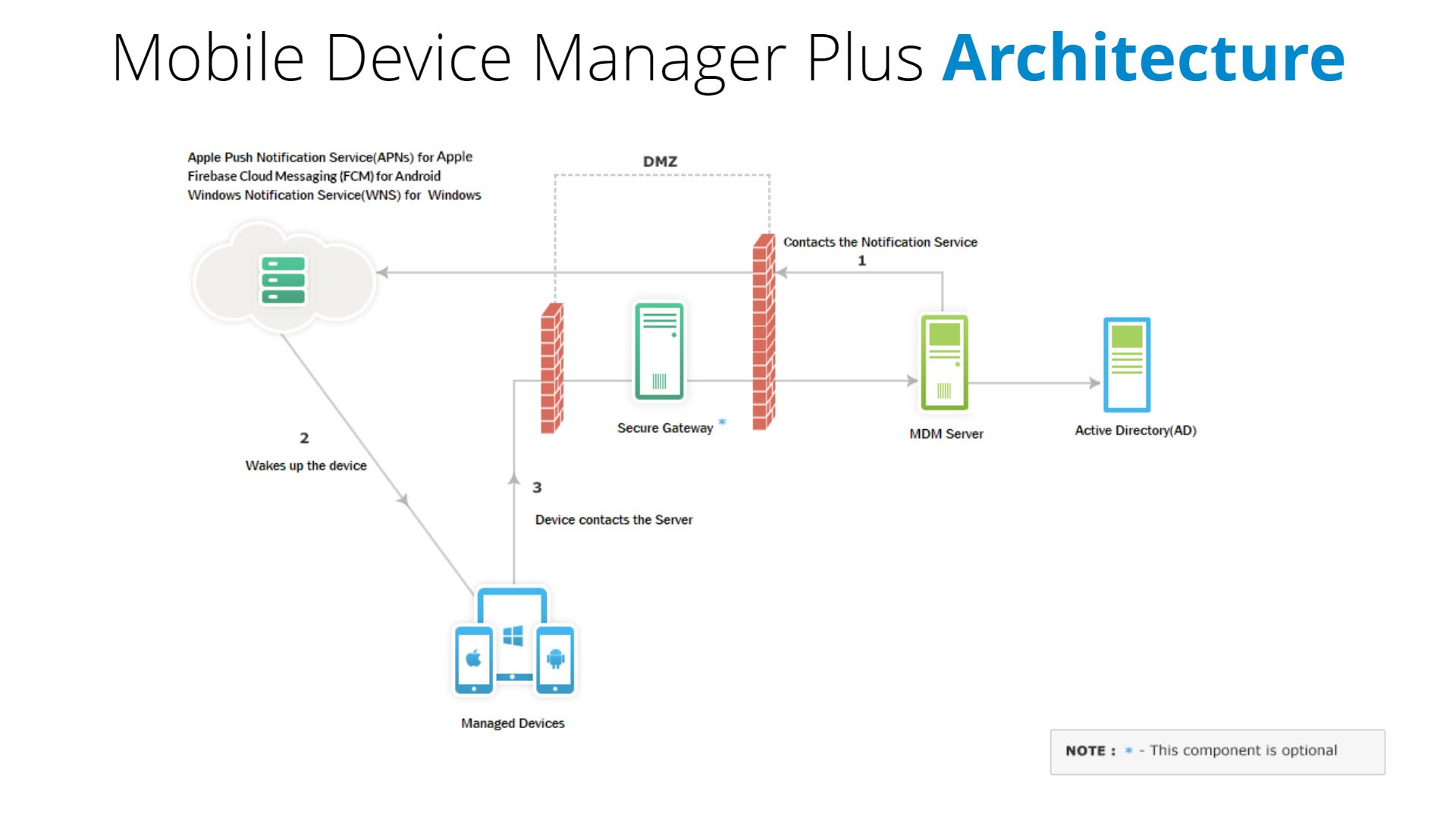
For organizations managing mobile fleets whether through MDM or a BYOD policy APK scanning is a non-negotiable control layer. The challenge isn’t just detecting malicious apps. It’s doing so at scale, across hundreds or thousands of devices, while minimizing false positives that block legitimate tools.
Building an Enterprise APK Vetting Workflow
- Establish an approved app repository a curated internal store of pre-scanned, policy-compliant APKs
- Gate all sideloaded apps through an automated scanning API before installation is permitted
- Integrate with MDM (e.g., VMware Workspace ONE, Microsoft Intune, Jamf) to enforce policy automatically
- Set re-scan triggers rescan all deployed APKs quarterly or when new threat intelligence is released
- Document scan results for compliance audits
How Often Should Enterprises Re-Scan APKs?
Re-scanning is not a one-time task. Any APK already deployed in your environment should be rescanned whenever the app receives an update, since new versions can introduce new vulnerabilities or modified permissions. Beyond update-triggered scans, enterprise security teams should run scheduled rescans at least quarterly. High-risk apps those handling payments, health data, or employee credentials warrant monthly or even weekly automated scans. Integrating re-scan schedules into your MDM policy ensures this happens consistently without manual intervention.
In the Technology category, we provide complete information about the latest apps, tools, and guides.
Compliance Alignment
| Regulation | How APK Scanning Helps |
|---|---|
| GDPR | Scan reports demonstrate security controls for EU personal data handling |
| HIPAA | Catches insecure data handling in healthcare Android apps |
| PCI-DSS | Validates payment apps against known CVEs |
| OWASP Mobile Top 10 | Most enterprise scanners map findings directly to OWASP Mobile Top 10 categories |
| ISO/IEC 27001 | Documents mobile app vetting procedures for ISMS audits |
For enterprises in regulated industries, Google Play Protect’s official documentation explains what baseline protection the platform provides and where it ends, making third-party scanning essential.
DevSecOps: Integrating APK Scanning Into Your CI/CD Pipeline
Security teams in modern development environments automate APK scanning inside the build pipeline. When a developer pushes a new Android build:
- The CI/CD system (Jenkins, GitHub Actions, GitLab CI) triggers an automatic APK scan via MobSF REST API
- The scan result is evaluated against a defined policy threshold (e.g., no high-severity findings, OWASP score above 7.0)
- If the build passes, it proceeds to deployment
- If it fails, the pipeline halts and the team receives an alert with specific findings
This DevSecOps approach catches vulnerabilities before they reach production. Android’s official permission best practices guide is the reference point every developer should consult when evaluating permission-related scan findings in a CI/CD context.
📌 Testing APKs in an emulated environment before deployment adds another security layer. → How to Install APK on PC Using an Emulator
What to Do When an APK Scan Flags a Threat
Getting a positive detection doesn’t always mean the app is malicious. Here’s how to respond:
Step 1 — Identify the specific finding. Is it a known malware signature, a suspicious permission, or a CVE in a bundled library? Check the CVE Database to verify if the flagged library has a documented vulnerability.
Step 2 — Check for false positives. Aggressive engines sometimes flag legitimate apps using dynamic code loading for valid purposes such as DRM systems. Cross-reference with multiple engines on VirusTotal.
Step 3 — Verify the APK source. If from an unofficial source, treat any flag seriously. → How to Install APK on Android Without Play Store
Step 4 — Check the certificate signature. A mismatched or missing signature compared to the official release is a strong indicator of tampering.
Step 5 — Isolate or quarantine. Don’t install flagged APKs on production devices. Block via MDM while investigation continues.
Step 6 — Remediate if you’re the developer. Patch the affected library, remove unnecessary permissions, fix insecure configuration then rescan before release. Reference the OWASP Mobile Top 10 to verify your fixes align with industry standards.
⚠️ Parse errors can sometimes indicate a corrupted or tampered APK. → Parse Error on Android: Causes and Fixes
Is Google Play Protect Enough?
Google Play Protect scans apps installed from Google Play and monitors device behavior for suspicious activity. It’s a meaningful baseline but it has real limitations for both individuals and enterprises.
For individual users, Play Protect works reasonably well when apps come exclusively from Google Play. The moment sideloading is involved, its coverage drops significantly. It doesn’t perform deep code analysis on APKs from outside the Play ecosystem and won’t catch sophisticated obfuscation designed to evade its detection models.
For enterprises, the gap is even wider. Play Protect provides no API integration for automated vetting workflows, no compliance documentation for regulatory audits, no false-positive management, and no behavioral analysis depth that MDM-managed environments require. Security teams cannot build a defensible mobile security posture on Play Protect alone. The NIST Cybersecurity Framework outlines the layered security approach enterprises must apply APK scanning is one essential control within that framework.
📌 If you’re installing apps from outside the Play Store, understand the permission requirements first. → Install Unknown Apps on Android: What You Need to Know
Conclusion
APK scanning is a frontline defense for anyone interacting with Android applications outside Google Play. Whether you’re an individual verifying a downloaded app, a developer running pre-submission security checks, or an enterprise managing devices under GDPR or HIPAA obligations, the need is the same: know what’s in the file before it reaches a device.
Your action steps:
- Individuals: Run every third-party APK through VirusTotal before installing
- Developers: Integrate MobSF or an equivalent API scan into your CI/CD build pipeline and benchmark results against the OWASP Mobile Top 10
- Enterprises: Establish a formal APK vetting policy tied to your MDM system and compliance framework document every scan and align procedures with the NIST Cybersecurity Framework
ApkSharp home page provides complete information about the latest apps, tools, and guides.
Frequently Asked Questions
What are Secure APK Scanning Services?
Secure APK Scanning Services analyze Android app files for malware, security risks, and suspicious code before installation to help protect devices and data.
Can I scan an APK without installing it?
Yes. Tools like VirusTotal and MobSF analyze the APK file itself without requiring installation. You upload the file and receive a full threat report based on code and permission analysis alone.
What is the best free APK scanner?
VirusTotal is the fastest and most accessible free option for quick multi-engine checks. MobSF is the best free choice for deep technical analysis, though it requires self-hosting and technical setup.
How does static analysis differ from dynamic analysis for APKs?
Static analysis examines APK code without running it fast and safe. Dynamic analysis executes the app in a sandbox to observe real behavior slower but catches obfuscated or behavior-triggered threats that static scanning misses.
Can APK files contain ransomware?
Yes. Android ransomware has been documented in APKs distributed outside the Play Store. It typically locks the screen, encrypts files, or demands payment to restore access making pre-installation scanning essential.
What permissions should concern me most in an APK?
High-risk permissions include READ_SMS, SEND_SMS, ACCESS_FINE_LOCATION, READ_CONTACTS, RECORD_AUDIO, CAMERA, READ_CALL_LOG, and BIND_DEVICE_ADMIN.
How often should enterprises re-scan APKs?
Enterprises should rescan APKs whenever an app update is released and on a scheduled basis at minimum quarterly, monthly for sensitive apps. Re-scan schedules should be built into MDM policy so they run automatically without manual follow-up.
Is Google Play Protect enough for enterprise security?
No. Play Protect covers basic on-device monitoring for Play Store apps but provides no API integration, compliance reporting, behavioral analysis depth, or false-positive management that enterprise environments need. It should be treated as a baseline layer, not a complete solution.
Can APK scanning detect zero-day threats?
Signature-based static scanners will miss true zero-day threats since no known signature exists yet. Dynamic and behavioral analysis has a better chance of catching novel threats through anomalous runtime behavior such as unexpected network calls or privilege escalation attempts even without a known signature match.
What is the difference between APK scanning and mobile penetration testing?
APK scanning is automated file-level analysis for known threats and vulnerabilities. Mobile penetration testing is a broader manual security assessment covering server-side components, API interactions, authentication flows, and business logic typically performed by certified security professionals. Scanning is a routine control; penetration testing is a periodic deep audit.