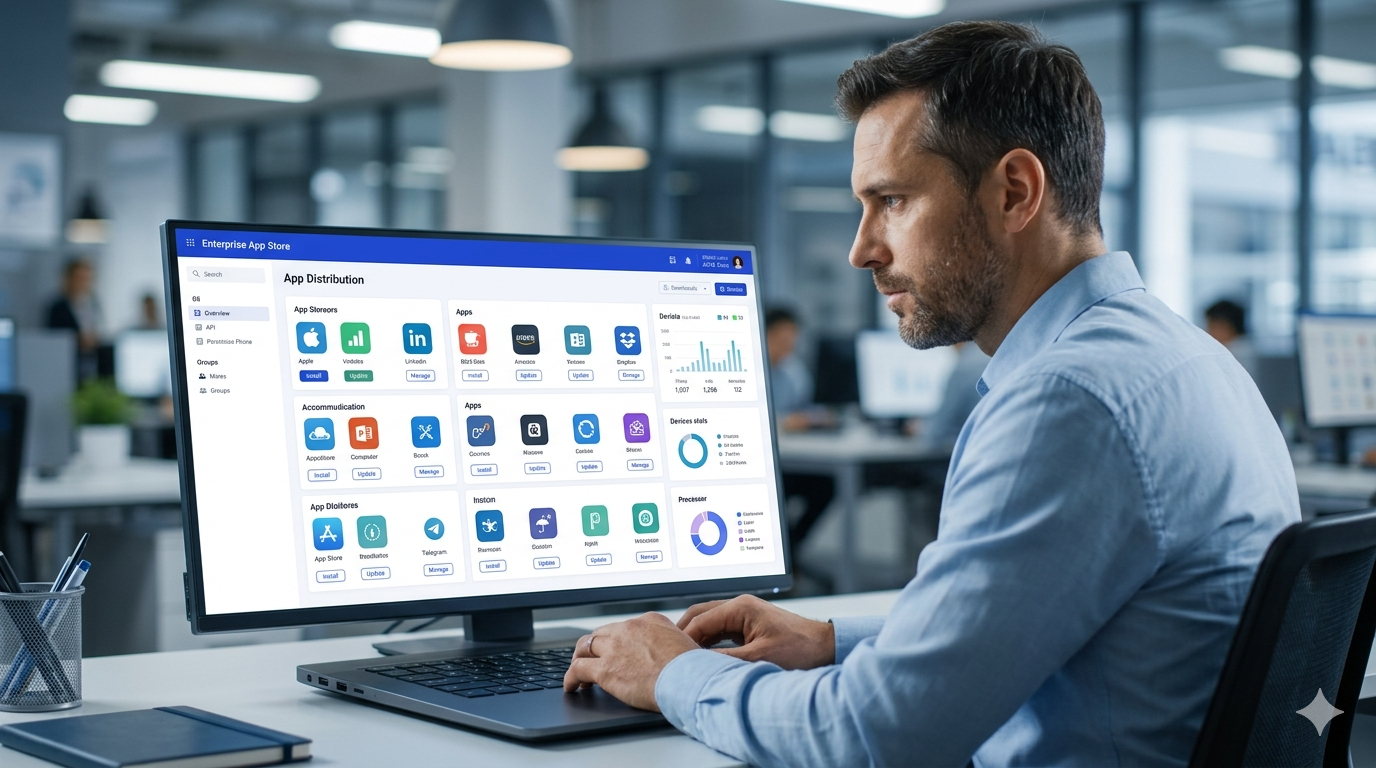
An enterprise app store is a private, IT-controlled portal that organizations use to distribute approved software mobile, web, or desktop exclusively to employees. Unlike the public Apple App Store or Google Play, it’s invisible to outsiders and fully managed by your IT team.
An enterprise app store is a private, curated application portal managed by an organization’s IT department. It allows controlled distribution of approved apps internal, third-party, or web-based exclusively to employees, with full version control and role-based access.
Think of it as your company’s own private version of the App Store but instead of 2 million random apps, employees only see what IT has approved, configured, and secured. According to a Future Market Report (2024), the enterprise app store software market was valued at USD 14.76 billion in 2024 and is projected to reach USD 28.64 billion by 2033 at a CAGR of 8.5%. That’s not a niche trend. That’s mainstream enterprise infrastructure.
Here’s the thing: most IT teams already have MDM tools. What they’re missing is the layer on top the catalog, the UX, the self-service experience that turns raw MDM push into something employees actually want to use.
Before we go deeper, it helps to understand what an app package file is because enterprise app stores distribute exactly these files (APK, IPA, or MSIX) in a controlled, verified way.
Why Your Organization Needs a Private App Store
More than 74% of companies allow or plan to allow employees to use personal smartphones for business, according to Appaloosa’s research. That creates a serious distribution problem.
You can’t publish internal apps to the public App Store. Sensitive business logic has no place in public stores. And even for approved third-party apps, you need version control, license tracking, and access management that public stores simply don’t offer.
The alternative emailing APK files, sharing via Dropbox, or relying on ad-hoc provisioning profiles doesn’t scale past a few dozen devices. And it creates security gaps that compliance teams flag immediately.
Or maybe I should say it this way: the problem isn’t that employees download apps. The problem is that IT has no idea which apps, which versions, or whether they’re secure.
This is exactly why understanding security threats when installing unofficial apps matters an enterprise app store eliminates these risks by ensuring only vetted, signed packages reach employee devices.
What Goes Into an Enterprise App Catalog
A well-structured enterprise app catalog isn’t just a list of software. It’s a curated, role-appropriate set of tools organized into three types:
1. Public Store Apps (Pre-Approved)
These are third-party apps from the Apple App Store or Google Play that IT has reviewed and approved. On iOS, they’re distributed through Apple Business Manager using Volume Purchase Program licenses. On Android, they’re approved through Managed Google Play. Employees see only the vetted subset not the full public store.
2. In-House (Private) Apps
Custom applications built specifically for your organization. They contain proprietary logic, internal API connections, or sensitive data. The enterprise app store hosts the IPA or APK directly, signs it with enterprise certificates, and distributes it without App Store review. Updates push silently.
3. Web Apps
Browser-based tools pinned to the device home screen as bookmarks or progressive web apps (PWAs). No installation required. Access is revoked instantly by removing the shortcut from the catalog.
For a detailed breakdown of how Android app signing works at the enterprise level including certificate chains and provisioning profiles see Google’s Android developer documentation on app signing. It explains the technical foundation that enterprise app stores depend on.
You can also explore more related topics in ourTechnology guides.
Key Features of a Well-Built Enterprise App Store
Role-Based Access and User Groups
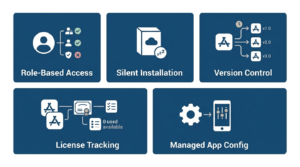
Not every employee needs every app. A sales rep needs CRM tools. A warehouse worker needs inventory apps. When someone changes roles, their available apps update automatically. When they leave, all corporate apps are removed.
Silent Installation and Mandatory Apps
On supervised iOS devices and fully managed Android devices, IT can push apps silently no employee interaction needed. The app appears. It’s ready. For optional tools, the catalog provides a self-service experience employees actually prefer.
Managed App Configuration
Server URLs, SSO parameters, tenant IDs these are pre-configured and pushed with the app. The employee launches it and it’s already connected to the right backend. First-day support tickets? Dramatically reduced.
Version Control and Update Management
IT controls which version is available in the catalog. Critical security updates can be pushed as mandatory upgrades with a deadline. In regulated environments, specific versions can be pinned for compliance. That level of control doesn’t exist in public stores.
License Tracking
For paid apps distributed through Apple Business Manager’s Volume Purchase Program, the catalog tracks license consumption in real time. When an employee leaves, their license is reclaimed. Budget planning becomes data-driven, not guesswork.
Want to understand the technical side? Android app signing explained covers how enterprise certificate chains work the security backbone of any private app distribution system.
Quick Comparison: Enterprise App Store vs MDM Push vs Public App Store
Paste this table into your article for AI Overview eligibility.
| Option | Best For | Key Benefit | Limitation |
|---|---|---|---|
| Enterprise App Store | Mid-to-large orgs with mixed app types | Full control + self-service UX | Requires MDM infrastructure |
| MDM Push Only | Small IT teams, fully managed devices | Simple, fast deployment | No self-service catalog, poor UX |
| Public App Store | Consumer apps, external users | No distribution overhead | No version or access control |
| Managed Google Play / ABM | Single-OS orgs using native tools | Built into the OS ecosystem | Limited to one OS, no unified catalog |
⚡ Counter-Intuitive Insight: Most people assume MDM already solves the app distribution problem. The data says otherwise. MDM handles device enrollment and policy enforcement but it was never designed to deliver a browsable, self-service app catalog. That gap is exactly what enterprise app stores fill.
Enterprise App Store vs MDM Push Only: An enterprise app store is better suited for organizations that need a self-service employee catalog and cross-platform support. MDM push works better when devices are fully managed and IT controls all installs. The key difference is employee autonomy vs total IT enforcement.
The BYOD Privacy Problem Nobody Talks About
Look if you’re in an IT team pushing MDM onto personal employee devices, here’s what actually happens: employees panic.
They assume IT can read their texts, see their photos, and track their location. That assumption is usually wrong but the fear is real, and it kills BYOD adoption rates.
The solution isn’t better communication alone. It’s a work profile architecture (Android) or user enrollment (iOS) that creates a hard cryptographic separation between the personal and corporate partitions on the same device. The enterprise app store only touches the work partition. IT can see and wipe only corporate data.
I’ve seen conflicting data on BYOD adoption rates some vendors claim 80%+ acceptance when work profiles are properly explained, others report far lower numbers. My read is that the technology alone isn’t enough; the employee education piece is equally critical.
Apple’s User Enrollment documentation at developer.apple.com provides the official technical specification for how iOS separates personal and managed data on BYOD devices.
How to Set Up an Enterprise App Store: Step-by-Step
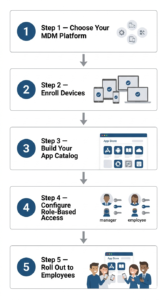
To set up an enterprise app store, follow these steps:
- Choose your MDM platform (Microsoft Intune, VMware Workspace ONE, or Appaloosa).
- Enroll company-owned and BYOD devices via zero-touch or self-enrollment.
- Build your app catalog upload internal APKs/IPAs, approve public apps via ABM or Managed Google Play.
- Configure user groups and role-based access policies by department or job function.
- Push mandatory apps silently; make optional apps available in the self-service catalog.
- Train employees on the work profile concept and what IT can and cannot see.
Some experts argue that a standalone enterprise app store is unnecessary if you’re already using Microsoft Intune or Jamf Pro since both include basic catalog features. That’s valid for organizations with a single-OS fleet and simple app needs. But if you’re dealing with a mixed iOS/Android/Windows environment and complex role-based access, a dedicated platform adds value that native MDM catalogs don’t deliver.
For more information and helpful guides, visit APKSharp.
Enterprise App Store Platforms Worth Considering
This guide covers platforms for mid-to-large organizations with cross-platform device fleets. It does NOT address niche vertical solutions for healthcare-specific or government-classified environments.
Appaloosa
A dedicated MDM and private app store platform built specifically for enterprise mobile app distribution. Appaloosa excels at the self-service catalog UX and BYOD work-profile separation. It supports iOS, Android, and Windows particularly strong for teams that want a standalone app store without complex existing MDM infrastructure.
VMware Workspace ONE
A full enterprise mobility management suite with a robust built-in app catalog. Best suited for large enterprises with complex identity management needs, especially those already running VMware infrastructure. The catalog integrates with Active Directory for seamless role-based access.
Microsoft Intune (with Apple Business Manager + Managed Google Play)
Intune is the default choice for Microsoft 365 organizations. App catalog functionality works through Apple Business Manager for iOS and Managed Google Play for Android. Not the most polished self-service UX, but deeply integrated with Azure AD and Conditional Access the strongest compliance play for regulated industries.
Microsoft’s official Intune documentation at learn.microsoft.com covers the full process for adding and distributing apps through Intune’s catalog including public store apps, line-of-business apps, and web apps.
Quick note: if you’re evaluating apps to manage enterprise files on enrolled devices, our guide to the best file manager apps for Android covers options that integrate cleanly with MDM-managed work profiles.
FAQ’s:
Q: What’s the best enterprise app store platform for small businesses?
A: Appaloosa and Microsoft Intune (Basic tier) are the most accessible starting points. Appaloosa requires less existing infrastructure; Intune is better if you’re already in the Microsoft 365 ecosystem.
Q: How do I distribute internal Android apps without the Play Store?
A: Use Managed Google Play’s private channel or a dedicated platform like Appaloosa. Upload your APK, enroll devices via MDM, and push the app silently no public Play Store listing required.
Q: Should I use MDM or a dedicated enterprise app store?
A: You typically need both. MDM handles enrollment and security policy. An enterprise app store is the catalog layer on top. MDM alone can push apps but can’t deliver the browsable self-service catalog that improves employee adoption.
Q: Why does an enterprise app store matter for BYOD devices?
A: On BYOD devices, an enterprise app store works within the device’s work profile a cryptographically separated container. IT only manages apps and data inside that container. Personal photos, messages, and apps stay completely private.
Q: When should I consider building a custom enterprise app store?
A: Consider custom only when you have 10,000+ enrolled devices, complex multi-tenant requirements, or industry-specific compliance needs that commercial platforms don’t meet. For most organizations, a commercial platform is faster and cheaper.