You’ve seen the Reddit threads. Someone posts a link to AppValley or TweakBox, promising free premium apps, modded games, or region-unlocked content. It looks real. People in the comments say it worked for them.
Then you remember: Apple doesn’t allow this. And you’re not sure if “doesn’t allow” means “mildly against the rules” or “will destroy your phone.”
Here’s the honest answer: it depends entirely on which unofficial source you’re using and why and the gap between the safest and most dangerous options is enormous. Before we get into that, learn how spotting clone apps on iPhone can protect you even before you leave the App Store.
What “Official” and “Unofficial” Actually Mean on iOS
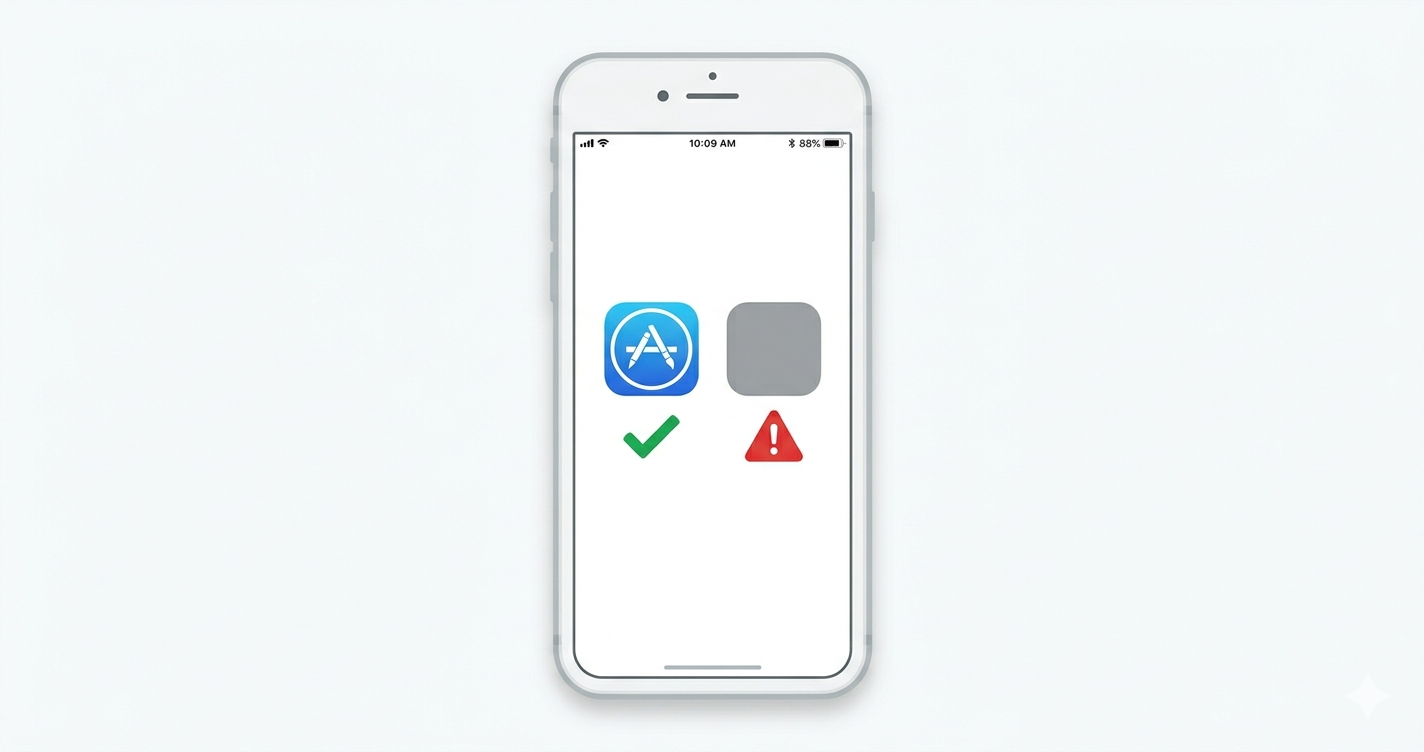
Official vs unofficial iOS apps refers to whether an app was distributed through Apple’s App Store subject to Apple’s review process or through any other channel, including third-party app stores, direct IPA file installs, jailbreak repositories, or enterprise certificate abuse.
Official apps go through Apple’s review before reaching your device. Unofficial apps bypass that review entirely, or use workarounds that Apple hasn’t explicitly sanctioned. That review isn’t perfect malicious apps have slipped through but it’s a meaningful filter.
Quick note: “unofficial” doesn’t automatically mean illegal. It means unverified by Apple. That distinction matters a lot for what comes next.
The Real Difference Between Official and Unofficial iOS Apps
Most articles treat this as a simple good-vs-bad binary. It’s not.
Quick Comparison
| Option | Best For | Key Benefit | Limitation |
|---|---|---|---|
| Apple App Store | All iPhone users | Apple review, automatic updates, refund policy | Some apps unavailable by region or behind paywalls |
| AltStore (EU / iOS 17.4+) | Advanced users in EU | Legitimate, notarized by Apple since iOS 17.4 | EU only; limited app catalog |
| AppValley / TweakBox | Modded & paid-for-free apps | Access to tweaked apps without jailbreak | Certificate revocation within 24–72 hrs; high malware risk |
| Jailbreak repos (Cydia, Sileo) | Power users willing to void warranty | Deep iOS customization | Breaks security model; not viable on modern iOS |
Or maybe I should say it this way: the options above aren’t equally risky. AltStore after iOS 17.4 is a fundamentally different beast from AppValley. Treating them the same is the mistake most comparison articles make.
Why Unofficial iOS Apps Are Riskier Than You Think
According to Lookout’s Q2 2024 Mobile Threat Landscape Report, over 160 iOS vulnerabilities were disclosed in 2024 alone with more than 40% scoring a 7 or higher on the CVSS severity scale. That’s before you add any risk from apps that skip Apple’s vetting entirely.
When you install an app from an unofficial source, three things happen that don’t happen on the App Store:
1. No malware scan. Apple’s review includes static and dynamic analysis for known malicious behavior. Unofficial stores do not run equivalent checks or any checks at all on some platforms.
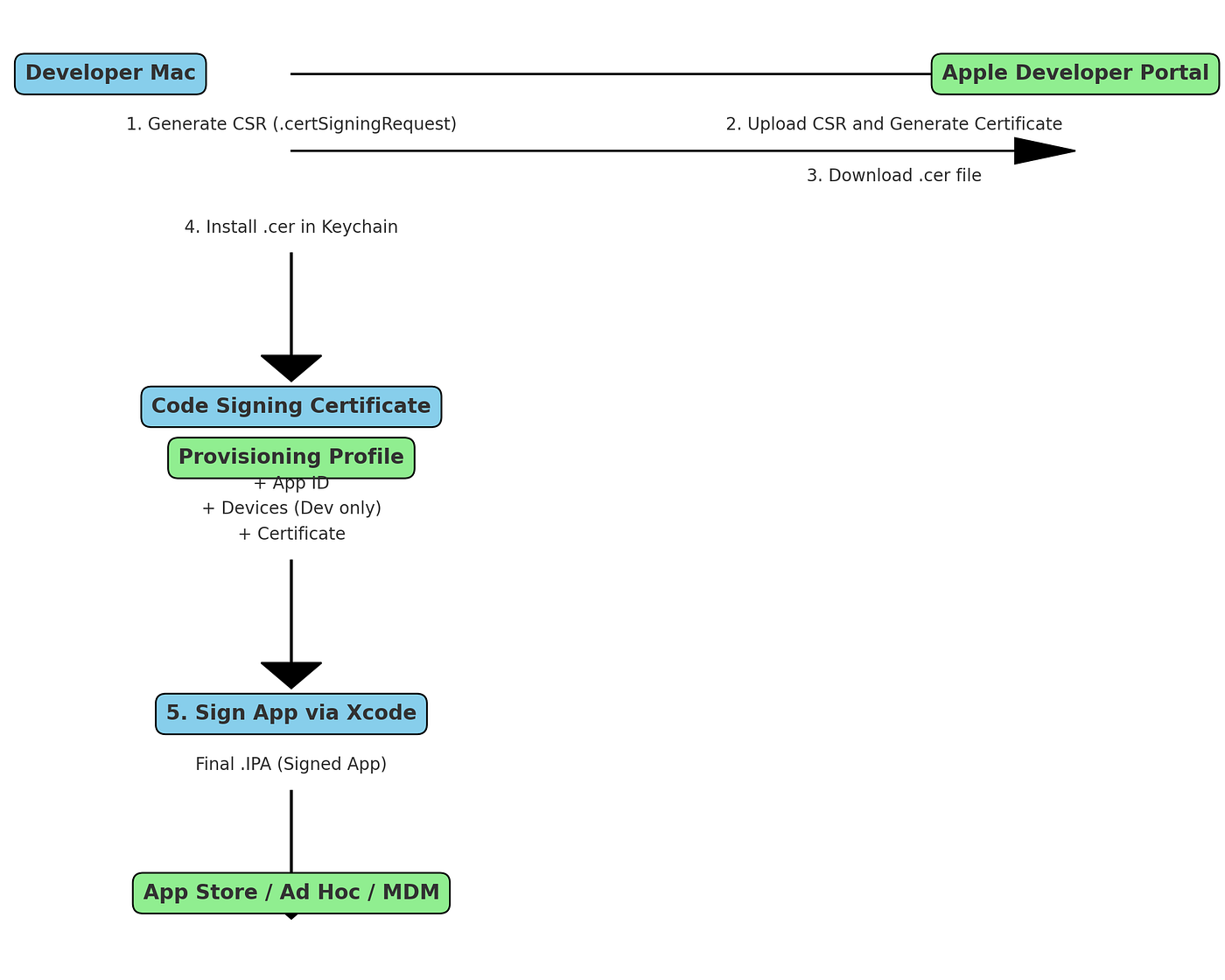
2. Code signing via abused enterprise certificates. This is how AppValley and similar services work. They use Apple Developer Enterprise Program certificates (meant for internal corporate apps) to sign apps for public distribution. Apple revokes these certificates regularly that’s why your “free” app stops working after a day or two. But before revocation, anyone who installed that app got software signed by a credential that could have been issued to anyone.
3. Persistent background access. Some unofficial apps request permissions that look normal contacts, location, camera but use them in ways the App Store wouldn’t permit. Users who’ve tried AppValley often report that apps continue running background processes even after being “closed.”
Most people assume iOS is sealed tight. The data says otherwise especially once you introduce an unverified signing certificate into the chain.
For a full breakdown of every threat type by platform, see our guide on security threats when installing unofficial apps.
The Gray Zone: Modded Apps, Region Locks, and Tweaked Software
Here’s the thing: most people searching this topic aren’t planning to install spyware. They want one of three things:
- A paid app for free (modded IPA)
- An app not available in their country’s App Store
- A tweaked version with removed ads or unlocked premium features
These are the “gray area” apps that security articles almost never address honestly. So let’s address them.
Modded IPAs (cracked paid apps distributed as IPA files) carry the highest risk of the three. The modified code could contain anything the original developer didn’t sign it, and neither did Apple. Credential harvesting and adware are the two most common payloads found in modified iOS apps. Look if you’re downloading a cracked version of a $4.99 productivity app to save five dollars, you’re making a very bad trade.
Even the official App Store isn’t completely clean. Learn how to spot fake apps on the Apple App Store before they fool you.
Region-locked apps are a more sympathetic case. The app is legitimate you just can’t access it in your country’s storefront. The safer workaround here isn’t a third-party store: it’s creating an Apple ID in the target region with a valid payment method or gift card, then downloading directly from the official App Store. Annoying? Yes. Safer than AppValley? Dramatically.
Tweaked apps (removed ads, unlocked features) live in between. Some come from trusted community sources with a history of clean builds. Most don’t. Without verifying the IPA’s code yourself which requires technical knowledge most users don’t have you’re trusting a stranger’s word.
According to Apple’s own developer security documentation, apps distributed outside the App Store bypass the code signing validation chain that protects against tampered binaries. That’s not a theoretical warning it’s the documented mechanism that makes unofficial distribution risky.
Apple’s New Sideloading Rules: The EU Changes Everything (For Some Users)
This is the section competitors skip entirely.
Starting with iOS 17.4, Apple began allowing alternative app marketplaces in the European Union under the Digital Markets Act (DMA). This is not jailbreaking. It’s not certificate abuse. It’s a new, officially sanctioned distribution channel.
To use iOS sideloading in the EU:
- Update your iPhone to iOS 17.4 or later
- Ensure your Apple ID is associated with an EU country/region
- Download an Apple-notarized alternative marketplace (AltStore is the first major example)
- Install apps through that marketplace each app must still pass Apple’s Notarization review before it can be distributed
Apple’s Notarization system reviews apps for malware, fraud, and security vulnerabilities before approving them for alternative marketplaces. It’s less stringent than full App Store review but significantly more rigorous than nothing.
If you’re outside the EU, none of this applies yet. You’re still operating in the pre-DMA environment where “sideloading” means certificate abuse or jailbreaking both of which carry real risk. The European Commission’s full DMA documentation explains the regulatory context in detail.
For more information on mobile and app security, visit our Security section.
What Actually Happens When an Unofficial App Goes Wrong
I’ve seen conflicting data on exact malware infection rates from iOS third-party stores some industry reports cite numbers that seem inflated. My read is that the direct malware rate is lower than Android sideloading, but the credential harvesting and account compromise risk is underreported.
Here’s what documented cases show:
Certificate revocation cascade. When Apple revokes an enterprise certificate used by an unofficial store, every app distributed under that certificate stops working simultaneously often without warning. Users who had “tested” unofficial apps for weeks wake up to non-functional software and no recourse.
Account suspension. Using apps that access official platform APIs through unauthorized means a modded delivery driver app that pulls Uber Eats data, for example can result in account termination from the platform, not just the app store.
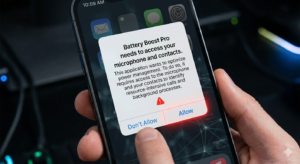
Data exposure. Unofficial apps often request broader permissions than necessary. An app asking for contacts, location, and microphone access when its stated function is “battery optimization” is a red flag that the App Store review would catch. Unofficial channels don’t.
Some experts argue that the risk is manageable if you stick to well-known community sources. That’s valid for a small subset of technically sophisticated users. But if you’re reading this article, you’re probably not in that group and the tools to verify a clean IPA are not beginner-friendly.
According to Verizon’s 2024 Mobile Security Index, 80% of organizations now consider mobile devices critical to operations which means the stakes of a compromised personal device are no longer just personal.
How to Check If an App Is Safe Before Installing
To verify an iOS app’s legitimacy before installing:
- Check that the source is the official App Store or Apple’s notarized EU marketplace
- Search the app name + “malware” or “scam” on Reddit before downloading
- Review requested permissions reject any app requesting access unrelated to its function
- For EU sideloading, confirm the marketplace shows “Notarized by Apple” in its listing
What most guides skip is step 3. Permission scope is the clearest signal of intent available to a non-technical user. A flashlight app that wants microphone access doesn’t need your microphone to turn on a flashlight.
If you’re unsure who built an app, our guide on how to verify an iOS app developer walks you through every check from App Store listing signals to Apple Developer Program credentials.
Final Thoughts
Official App Store apps aren’t perfect. Unofficial iOS apps aren’t automatically dangerous. But the gap in vetting, accountability, and recourse between the two is real and for most users, not worth closing with a third-party app store.
If you’re in the EU, AltStore on iOS 17.4+ is a legitimate, Apple-notarized alternative worth exploring. If you’re outside the EU and tempted by AppValley or TweakBox: the free app isn’t worth the risk of what else might come with it.
This guide covers consumer iPhone users. Enterprise device management (MDM) and developer workflows (TestFlight, Xcode installs) operate under different rules and are outside this article’s scope.
Q&A
Q: What’s the best way to get apps not available in my country’s App Store?
A: Create an Apple ID registered to the target country, then download directly from the official App Store there. It’s free, safe, and doesn’t require any unofficial tools.
Q: How do I know if an unofficial iOS app is safe?
A: You mostly can’t not without technical skills to inspect the IPA file. Stick to Apple’s App Store or, if you’re in the EU, Apple-notarized alternative marketplaces only.
Q: Should I jailbreak my iPhone to get more apps?
A: No. Modern iOS jailbreaks are rare, unstable on current devices, and disable critical security protections. The tradeoff is not worth it for most users in 2025.
Q: Why does my sideloaded app keep getting revoked?
A: It was signed with an enterprise certificate Apple didn’t authorize for public distribution. Apple revokes these regularly. There’s no permanent fix outside the EU’s new sideloading framework.
Q: When should I use AltStore instead of the App Store?
A: Only if you’re in the EU, running iOS 17.4+, and want access to apps Apple has rejected but AltStore’s team has independently verified. For most users in most regions, the App Store remains the only safe option.